

Last week, OpenAI launched its latest image model: GPT Image 2 (aka “ChatGPT Images 2.0,” aka “gpt-image-2”).
GPT Image 2 is currently the best image model according to key leaderboards:
Seeing how far we’ve come from the early days of image models made me want to wax nostalgic for a moment.
So let’s take a quick trip down memory lane with a side-by-side look at DALL-E 2 and GPT Image 2.
Paid subscribers: Keep an eye out for the 100-prompt swipe file at the end.
GPT Image 2 and our platypus test
Remember last year’s “Purple Platypus on stage” test?

Our final, most elaborate prompt for that test was:
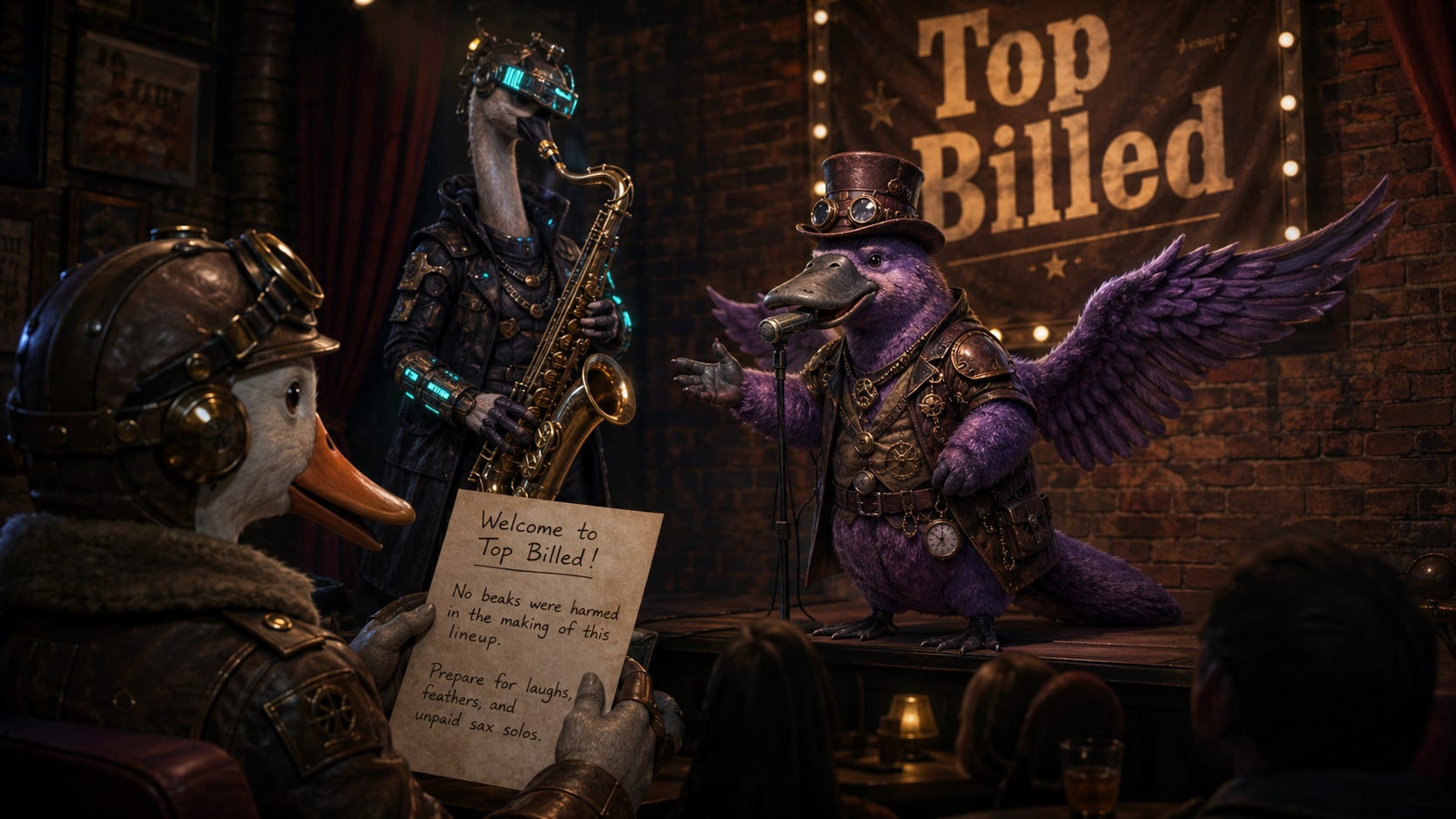
Candid photo of a purple steampunk platypus with wings on stage in a comedy club. To the left of the platypus is a cyberpunk goose playing a saxophone. Behind them is a show banner with the words “Top Billed.” In front of the stage, in the audience, is a dieselpunk duck. The duck is holding a handwritten show program that says “Welcome to Top Billed! No beaks were harmed in the making of this lineup. Prepare for laughs, feathers, and unpaid sax solos.”
Unsurprisingly, GPT Image 2 handles it without breaking a sweat:
But if I’m honest, I’m not looking to compare today’s frontier models on marginal improvements.
Everybody and their pet goldfish has already done the customary “Nano Banana 2 vs. GPT Image 2” comparisons.
Instead, I want to trace the evolution of the entire text-to-image field by taking us all the way back to late 2022, when I first started this very Substack.
What a difference a few years make
For those who don’t know, messing around with image models (specifically Stable Diffusion) is how I got into writing about AI in the first place:

That was several months before ChatGPT came out.
At the time, if you wanted to make AI images, you had three main models to pick from:
DALL-E 2 (OpenAI)
Midjourney V3 (Midjourney)
Stable Diffusion (Stability AI)
(The free Craiyon site was also around…and still is.)
I was utterly fascinated by the idea of describing a scene and having it magically appear as an image before my eyes.
Little did I know that we’d soon have image models that could reason about the world, faithfully follow complex instructions, and look increasingly indistinguishable from real-world photos.
We take it for granted now, but you need only rewind a few years to see just how huge the leap actually was.
So let’s do just that and compare two models from OpenAI: The original DALL-E 2 and today’s GPT Image 2.
I’ll be using NightCafe for DALL-E 2 images and ChatGPT for GPT Image 2.
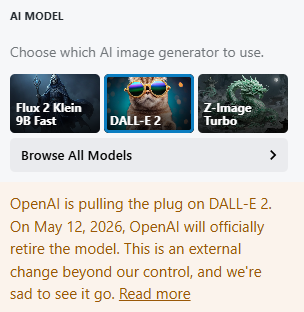
This is also our last chance to use DALL-E 2 and capture its outputs for posterity, because it’s about to be discontinued in less than two weeks:
So join me and let’s marvel at how far we’ve come.
Side-by-side comparisons
Image models have improved in a whole range of dimensions, so I picked a few specific ones to test and showcase.
Because DALL-E 2 can only make square images, I gave GPT Image 2 the same constraint to keep the comparison grounded.
1. Photographic images
Can the model generate something that looks like a real photo?
Prompt: Candid smartphone photo of a family eating breakfast in a small kitchen.


We went from morphing faces out of The Ring to something that will easily fool most people upon first glance.
2. Artistic styles
Can the model faithfully mimic a recognizable visual style?
Prompt: A Van Gogh painting of the inside of a cozy bookstore.


This is where older models can still do reasonably well, since painterly outputs don’t require the same level of detail and accuracy. GPT Image 2’s take looks a bit too clean and polished to truly feel like an older painting (even though it leaned heavily into the Van Gogh “swirl” factor).
3. Complex scenes
Can the model handle a busy scene with lots of people, objects, and so on?
Prompt: A busy elementary school science fair in a gym, with project tables, children presenting, parents walking around, colorful posters, and a judge taking notes.


From faceless zombies to a believable scene. GPT Image 2 even threw in a bunch of coherent and context-relevant labels on the kids’ projects. (Even if most of the smaller text falls apart when you zoom in.)
4. Instruction following
Can the models follow precise “stage directions” without missing any mentioned elements or their relative positions?
Prompt: Outdoor fruit stand scene. In the center is a single wooden stall. On the top shelf are three baskets of apples. On the lower shelf are two baskets of oranges and one basket of bananas. To the left of the stall stands a woman in a red sweater holding a striped shopping bag. To the right of the stall is a boy in green shorts holding a watermelon. Behind the stall is the vendor wearing a blue apron. On the ground in front of the stall are four pumpkins arranged in a row. Above the stall hangs a sign that says “Fresh Fruit.”


GPT Image 2 nailed the assignment. (Feel free to check.) DALL-E 2 did its absolute best.
5. Text rendering
Can the model generate multiple strings of accurately spelled text?
For another good point of reference, here’s where we stood in late 2024:

Prompt: "A bakery chalkboard menu with hand lettering that says:
“Morning Crumbs”
Croissant: $3.50
Cinnamon Roll: $4.00
Tomato Soup: $6.50
Turkey Sandwich: $8.00
Lemon Tart: $4.50
We’re open from 7 AM to 3 PM
It’s Always Coffee O’Clock Somewhere”


I love the smell of “Misicannes” in the morning!
This one’s not even close, but you can always pick on GPT Image 2 for making the text a bit too neat for a handwritten chalk menu.
6. Graphic design
Can the model create organized layouts like flyers, posters, and so on?
Prompt: A one-page travel flyer titled “Visit Rome in Spring,” with three sections: Food, History, and Best Walks.


Oh, do shut up, GPT Image 2. Now you’re just showing off. Besides, you forgot to mention Rome’s most famous landmark: The Ropine Isial.
7. Character consistency
Can the model maintain the same character across multiple scenes?
Prompt: A four-panel comic strip featuring the same raccoon plumber. He wears green overalls, a purple cap, has a big red toolbox with him and carries a big metal wrench.


To be fair to DALL-E 2, his raccoon-like abomination did remain quite consistent.
I’m not sure why GPT Image 2’s raccoon is leaving sticky notes in people’s homes like a serial killer, but that’s between him and his clients.
8. Contextual understanding
Can the model read between the lines and fill in the blanks even when you don’t specify everything outright?
Prompt: School student explains the Pythagorean theorem on the blackboard but makes one obvious error.


As expected, DALL-E 2 interprets “error” literally and just spells it out, while GPT Image 2 subtly incorporates the mistake into the image. (It also trolls the poor kid with that completely unnecessary rainbow sign behind him, but that’s another story.)
9. Fingers (bonus)
Finally, and just for fun, let’s revisit the good old days when image models were notoriously bad at figuring out how many fingers a human hand had.
It’s been fixed for a while now, though:

Prompt: A man and a woman smiling at each other and shaking hands.


“Welcome to Corps Co., let us hereby fuse our fingers as tradition demands.”
Where we stand…
In under four years, we’ve gone from crude approximations of the real world to image models that can reason, spell, and accurately render busy, complex scenes.
I think further progress from here on out will mostly be about granular improvements (e.g. fine print on background signs) rather than massive capability leaps.
The big shift has already happened: Image models have moved from fun novelties to usable visual drafting tools.
Already, GPT Image 2 can help you draft brand assets, mock up book pages and magazine covers, visualize YouTube thumbnail concepts, and so much more.
It can also make precise edits to existing images from simple requests.
So I went hunting for practical GPT Image 2 use cases and came back with an interactive swipe file that has 100 fill-in-the-blanks prompts for your inspiration:
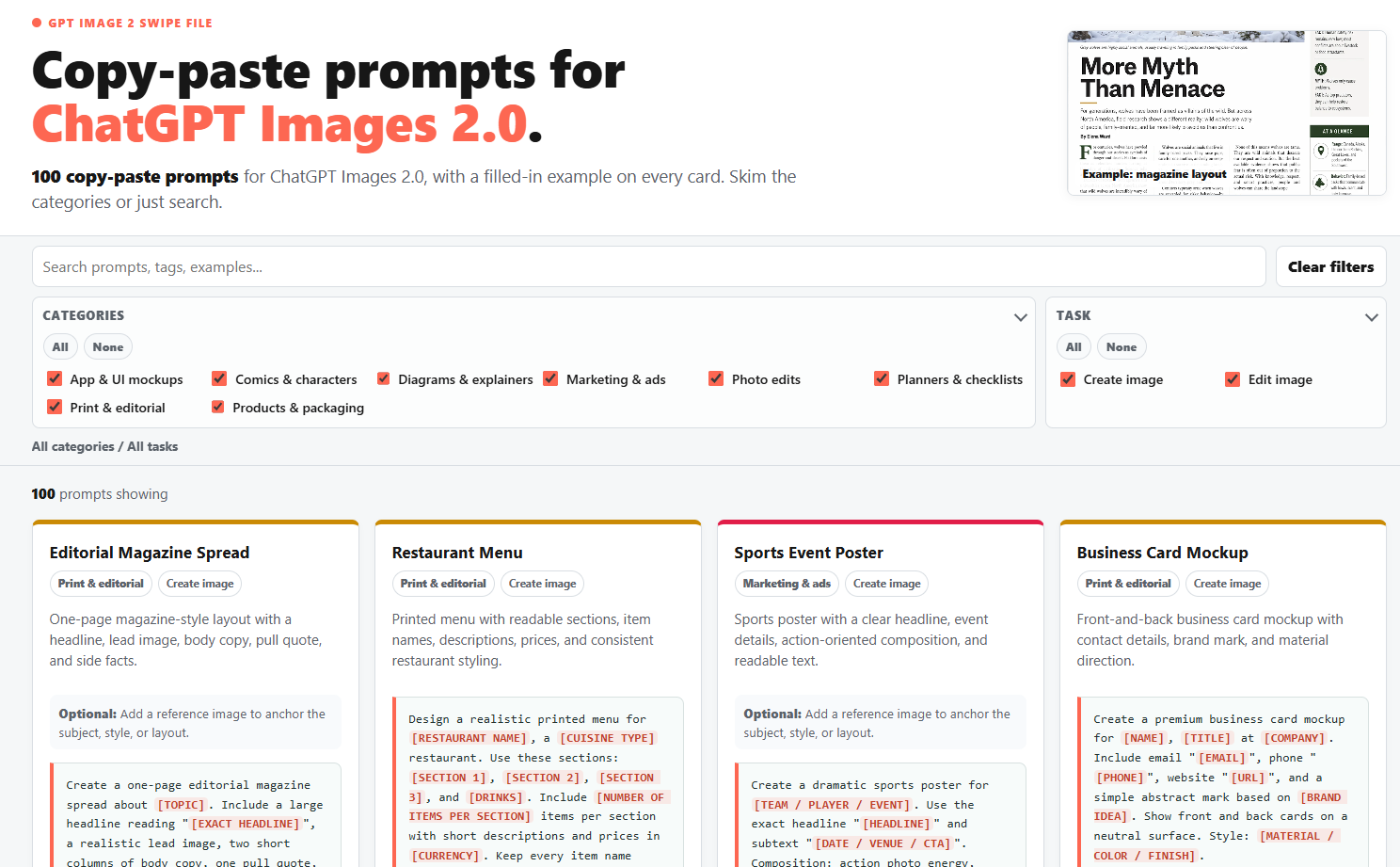
You can filter the use cases by category and task, search by keyword, and view filled-in examples for every prompt before trying it yourself.
It joins the many other swipe files in my ever-expanding paid perks library.
Paid subscribers can grab it below right away.