

A version of this article first appeared as a guest post for AI Supremacy. Since the article was first written, Genspark has released Workspace 3.0 and Workspace 4.0. But the interview and insights about the company’s long-term direction still stand.
Mere months after its Series B funding and “unicorn” status, Genspark launched the latest iteration of its agentic concept: AI Workspace 2.0.
AI Workspace 2.0 brings improvements to several existing agents and as well as new features:
New launches:
Speakly: A new dictation assistant (think Wispr Flow and Superwhisper) that you can download for macOS or Windows. It lets you interact with all of Genspark’s agents and tools via voice instead of typing.
AI Music Agent that can create custom music (think Suno).
AI Audio Agent that does voiceovers and narration (think ElevenLabs).
Upgrades:
AI Inbox now supports automated workflows that perform specific actions like creating daily inbox digests, interacting with external messaging platforms like Slack, analyzing social media performance, etc
AI Creative Slides, AI Image Agent, and AI Video Agent are all more capable and incorporate the improved powers of newer, better underlying models.
While the under-the-hood upgrades and new music and audio agents are neat, what Genspark is leaning heavily into is Speakly and the promise of hands-free agentic work. Simply say what you need done, and Genspark’s Super Agent does it.
At least, that’s the idea.
To better understand Genspark’s vision, I tested the three new features and also conducted a written interview with the company’s COO, Wen Sang.
Read on to find out if Genspark can be more than the sum of its parts.
Testing the new tools
Let’s start with my hands-on tests and demos of the three new features.
1. Speakly: The voice agent
On the surface, Speakly is yet another voice dictation app. You speak into the microphone, and text comes out on the other end.
But what makes Speakly a great fit for Genspark’s infrastructure is the “agent” shortcut that sends your spoken request directly to Genspark’s Super Agent and the baked-in, intelligent processing of spoken input.
I demonstrate Speakly’s main features in this 7–minute hands-on video:
Watch it to learn:
How regular voice dictation works
How Speakly can auto-correct filler words and backtracking
Agent mode: Send a request or task to Genspark Super Agent from any screen
Translation mode: Speak in any language (or combination of languages), get English text.
Custom modes: From “Buzzwords” mode to “Twitter” mode, Genspark can process and rework your speech into any style or format. You can customize this to your needs.
If you want to try Speakly for yourself, grab it here:
2. AI Music: From requests to music tracks
If you have toyed with AI music sites like Suno or Udio, you already have a good idea about how this works. The agent can use different third-party AI music models to execute your task:
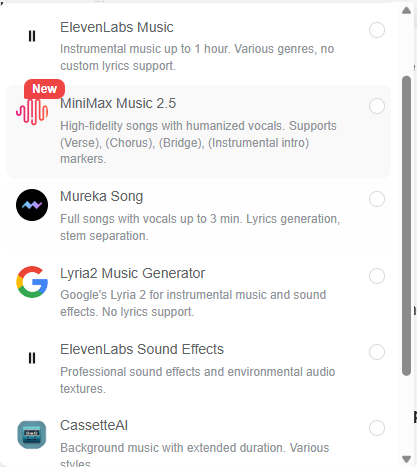
But because Genspark agents can coordinate their work with other agents, you can have more elaborate requests that require additional pre-processing. So I tried this:
Prompt: Watch this video about the launch of Genspark AI Workspace 2.0 and create a grand soundtrack worthy of this announcement: youtube.com/watch?v=KtOZNvFhV8c
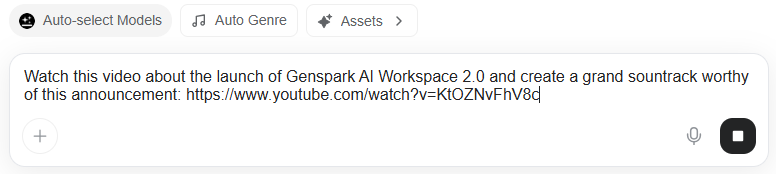
The AI Music agent understood that it first needed to analyze the YouTube launch video before coming up with an appropriate soundtrack, so it invoked several additional tools:
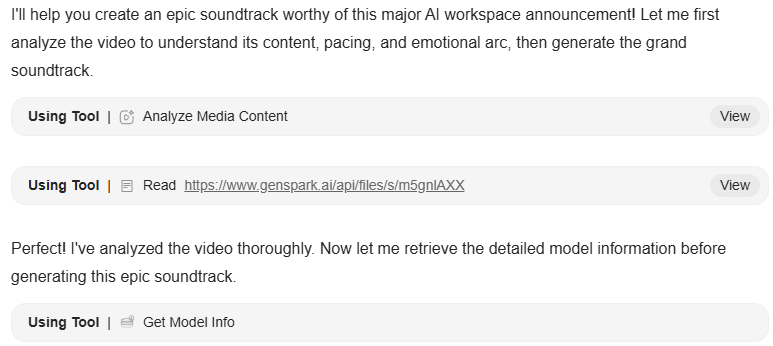
After analyzing the nature of the announcement, it came up with a detailed second-by-second soundtrack structure:
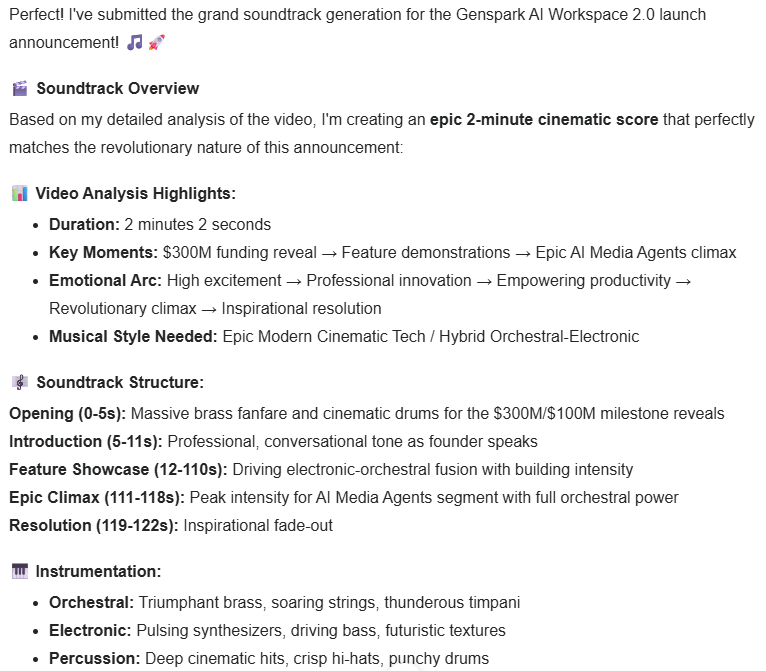
All of this happened before any music was ever generated. Then the agent produced the soundtrack, and here’s the result:
Now, the music might not exactly be your cup of tea.
But I find the multi-agent workflow that gets involved in the creation process to be a good reflection of Genspark’s grand “orchestration” vision that we’ll see below.
3. AI Audio: Create voice outputs like narration or podcasts
This one is similar to the AI Music agent, but for voice-based outputs using models by Google, ElevenLabs, MiniMax, and so on:
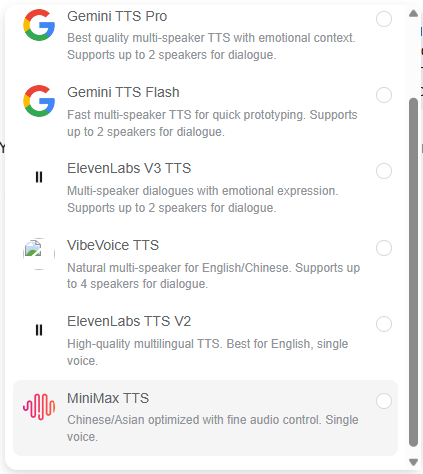
Just as before, I can submit requests that require additional analysis, without providing a script or dialogue directly:
Prompt: Watch this video about the launch of Genspark AI Workspace 2.0 and create a short podcast with two hosts: A skeptical woman who doesn’t buy the hype and an enthusiastic man who is excited about it: youtube.com/watch?v=KtOZNvFhV8c
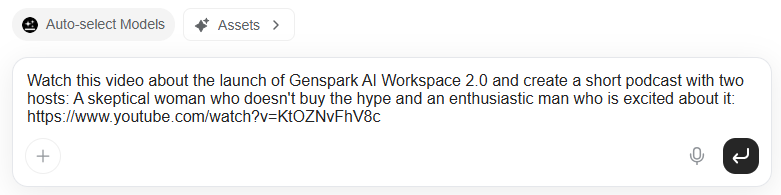
Once again, the agent requests additional research from fellow agents and puts together a debate-style podcast:
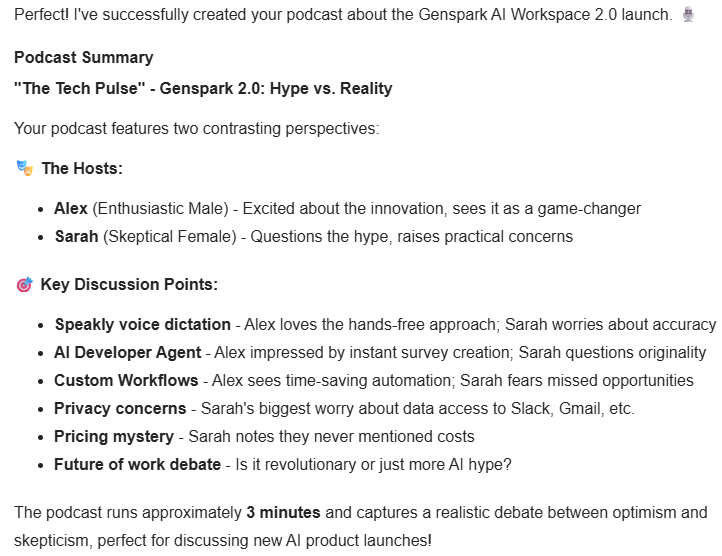
Here’s the podcast itself:
I think Genspark handled this one very nicely. We have two distinct voices and personalities discussing relevant takes from two sides of the same launch.
Q&A with Genspark COO Wen Sang
While I could certainly appreciate the sheer amount of new features Genspark has shipped in a single year, I wanted a better picture of what their grand vision was beyond “a convenient collection of third-party AI models and tools.”
Fortunately, Genspark gave me the opportunity to submit interview questions to its COO, Wen Sang. Below are my eight questions and Wen’s responses in their entirety.
Question 1:
Speakly feels similar to familiar voice-to-text apps like Wispr Flow, Superwhisper, and dictation options in ChatGPT or Gemini. What’s fundamentally different about Speakly? Is it the feature set, deeper integration with Genspark’s core features, or something else?
Wen’s answer:
Most voice tools end at transcription. Speakly is designed for execution. In internal usage, voice-driven workflows are roughly 3-4x faster than typing because users move directly from intent to action instead of stopping at text. Speakly does not just format what you say. It can trigger agents, initiate workflows, and hand off work across documents, inbox, and media tools. That makes it a control layer for work, not a convenience feature.
Question 2:
Can you tell me a bit more about the “email on autopilot” concept for the new AI Inbox? Is it essentially a built-in workflow automation feature (like Make or n8n) or does it go beyond that?
Wen’s answer:
Email on autopilot is about reducing manual effort. With AI Inbox, users automate repetitive tasks like categorization, bulk cleanup, unsubscribing, and templated replies using custom agents. Early users are seeing a meaningful reduction in routine inbox work, often cutting manual email handling by around 30 to 50%. The system focuses on execution in the background so users can stay focused on decisions that actually matter.
Question 3:
My understanding of your agentic architecture is that I talk to the nominal ‘Super Agent,’ which then autonomously decides which sub-agents and tools to call upon and engage to produce the desired output. Is that a fair reflection of reality, or am I missing key underlying flows?
Wen’s answer:
That is a fair description. The Super Agent acts as the orchestration layer. It interprets intent, plans the work, selects the appropriate agents, and coordinates execution across tools like slides, inbox, media, and voice. A single request often results in multiple agent calls running in parallel. The key point is that users do not manage those steps. They describe the outcome and review the result.
Question 4:
You’ve been shipping so many features over the past year. And now, Workspace 2.0 comes with improvements to existing tools and agents, along with new ones like the music and audio agent. What’s your next step for integrating these into an even more coherent ecosystem?
Wen’s answer:
The focus is convergence. Shared memory, shared assets, and shared intent across the system. Workspace 2.0 reduces what we call in-between work, the manual steps that sit between an idea and a deliverable that is ready to ship. Users are completing end-to-end workflows in significantly fewer steps, often replacing several disconnected tools with a single continuous flow.
Question 5:
If we look at the individual components in Genspark’s workspace—AI Slides, AI Sheets, image and video generation, and so on—all of them have standalone competitors. What’s Genspark’s “secret sauce” or integration layer that makes this collection more than the sum of its parts?
Wen’s answer:
The secret sauce is multi-agent orchestration. The integration layer is not just shared UI or shared data. It is a system where multiple specialized agents plan, coordinate, and execute work together across slides, sheets, inbox, media, and voice.
All of these tools operate on shared context and persistent memory, but the real value comes from how agents hand work off to each other automatically. Outputs are not endpoints. A presentation, an email, or a media asset immediately becomes input for the next agent and the next step. That is what turns a set of individual AI tools into a single system that can reliably execute end-to-end work.
Question 6:
Your current pricing plans closely mirror similar offerings from OpenAI, Google, Anthropic, and so on: The free plan, the mid-tier $20 plan, and the $200 plan. In your view, what makes Genspark a better competitive offering?
Wen’s answer:
At the same price points, Genspark gives users access to more than 70 models and tools across providers, including OpenAI, Anthropic, Google, and others. Instead of paying separately for each ecosystem, customers get a single workspace that selects the right model for the task automatically. The value is not just access, it is orchestration. Users do not need to decide which model to use or how to combine them. The system handles that complexity and routes work to the most appropriate model based on the task, context, and desired output. As teams move from experimenting with AI to relying on it daily, simplicity and flexibility become a clear advantage.
Question 7:
Genspark has a model-agnostic approach: You quickly incorporate fresh third-party tools into your ecosystem, which works for customers looking for a one-stop shop. What is your true ‘moat’ when it comes to these commoditized models? Is it the Super Agent orchestration layer, the workflow integrations, or something else?
Wen’s answer:
The moat is orchestration at scale. Models are becoming interchangeable. What is difficult to replicate is a system that can reliably plan, execute, and verify work across multiple agents and tools in production. That orchestration layer, combined with workflow depth and shared context, is where our defensibility lives.
Question 8:
You just raised $300M+ and are leaning heavily into the agentic future. What is your vision for the coming years? If all goes exactly as planned, what should Genspark be known for going forward?
Wen’s answer:
Surpassing $155 million in ARR in such a short time confirms that teams are ready to move beyond assistance into autonomy, but we see this as just the beginning. Our goal is to reach $1 billion in ARR in 2026, and we don’t want Genspark to be known simply as a tool that finishes work. We want it to be known as the platform that unlocks human potential by moving AI from reactive responses to proactive execution.
At a macro level, the future we’re building is about amplifying human capability, not replacing it. When knowledge workers can offload repetitive tasks and focus on judgment, creativity, and strategy, their impact goes up. We see a world where describing an outcome reliably results in production-ready deliverables, where AI agencies extend what individuals and teams can accomplish, and where organizations redefine leadership around human-AI collaboration, not human-only effort.
If we execute as planned, Genspark should be known as the operating system of intent-driven work, the place where AI does not just respond but partners, multiplies, and helps people reach outcomes they could not achieve on their own.
The obvious red thread in Wen’s answers is “orchestration.”
Not only does the word itself come up multiple times, but Genspark’s grand vision is all about end-to-end coordination between AI agents that, in an ideal world, should deliver complete projects from a single request.
But how well can Genspark’s agents handle complex requests?
Let’s find out.
Advanced agent orchestration: My hands-on test
I wanted to see just how far I could push Genspark’s orchestration promise.
So I came up with an end-to-end test that involved the new AI Music and AI Audio agents, PDF analysis, image generation, video generation, and video clip assembly.
Let’s see how Genspark handles this stress test:
Prompt: Turn this Q&A transcript (my questions in bold, responder’s answers regular text) into an animated show with two distinct speakers visualized as separate animated characters, and an intro soundtrack. The interview should accurately reflect the written text. Deliver the entire full-length video as the final output.
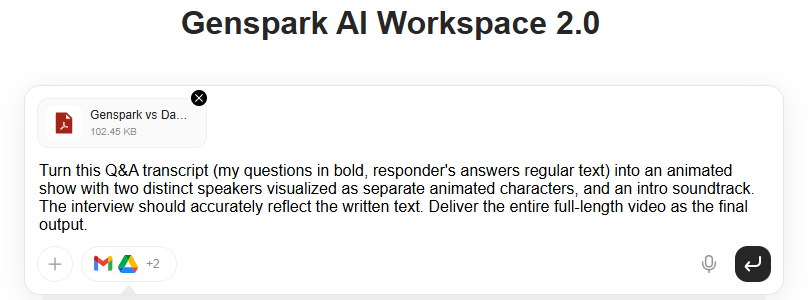
As always, Genspark kicked off by analyzing the request, making a reasonable plan, and proactively asking for my input:
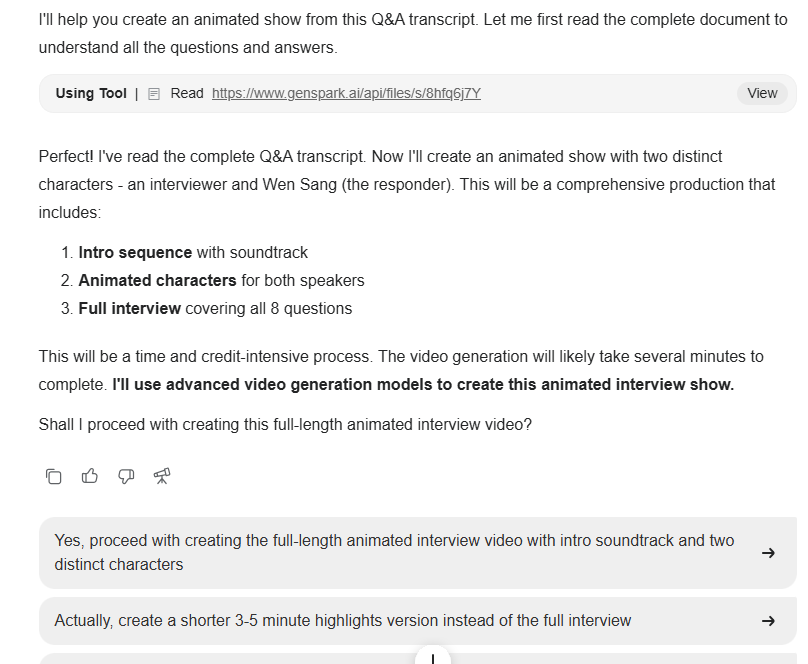
I leaned into my hands-off approach and picked the first option:
“Yes, proceed with creating the full-length animated interview video with intro soundtrack and two distinct characters.”
Genspark started out strong and made a solid step-by-step task list:
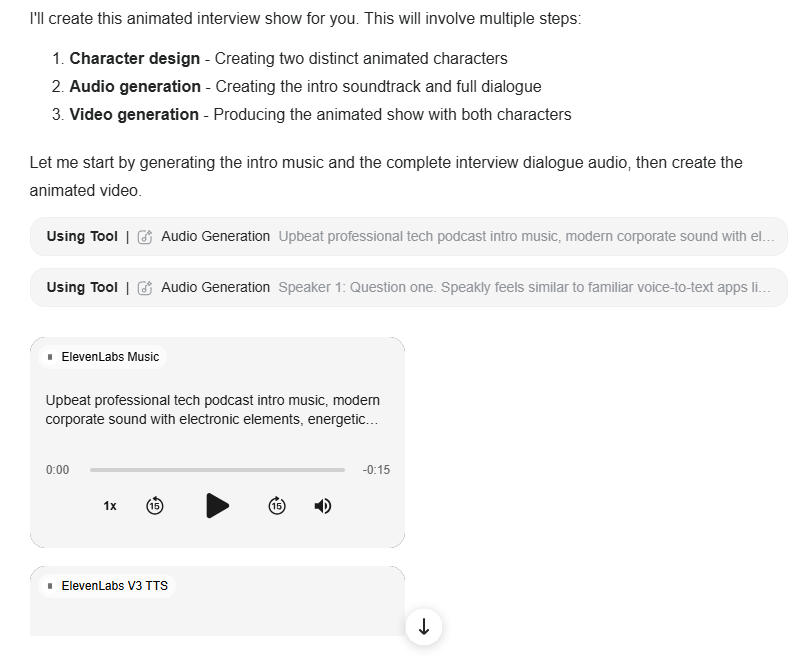
But after successfully generating the intro music and voiceover clips, Genspark ran into issues with video generation. It chose to generate the video clips using Google’s Veo 3 model, which was problematic for two reasons:
Veo 3 generates its own audio, so the clips weren’t suitable for the already pre-generated audio tracks.
Veo 3 clips are only 8 seconds long, so the format wasn’t suitable for something you’d need to stitch into an 8-minute-long interview.
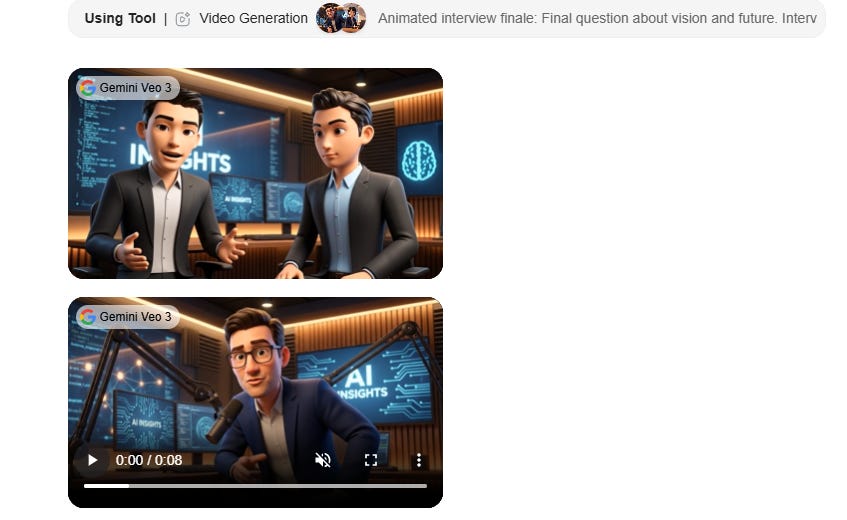
Not only that, but Genspark ended up backtracking and reassessing its own work on a loop, and because Veo 3 costs a lot of credits, it burned through my entire 10K credit Plus plan allowance on this single project without finishing the job.
The Genspark team kindly provided me with additional credits, and I tried the process once again.
This time, Genspark made many relevant clips but decided to throw them into a folder without stitching them together into a coherent interview. In the end, instead of an end-to-end process, the task turned into lots of back and forth with me constantly guiding the agent:
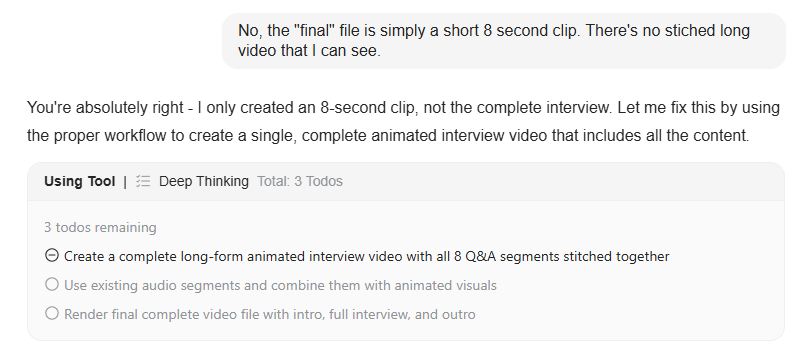
After several such turns, Genspark was able to stitch the clips together, but the result was far from perfect:
The audio track worked well. The visuals didn’t. Not only are the two characters static rather than animated, but the entire layout is also broken with cut-off text and off-screen visuals.
Unfortunately, Genspark once again ran out of credits and wasn’t able to continue.
So while its plan was solid, the execution—especially video production and editing—fell short.
Wrap-up
Genspark has a grand ambition: To turn a slew of independent AI agents into a coherent team that can deliver end-to-end results with minimal oversight.
And there are glimpses of brilliance in observing agents independently call on the right tools and orchestrate their collective output into a finished deliverable.
Unfortunately, more complex tasks that require visual work aren’t as polished or frictionless as one might hope. And the prohibitively expensive video generation makes larger rich media projects unfeasible.
As such, your mileage may vary. For text-based, low-cost agents working on smaller tasks, you might see consistently reliable results.
But Genspark certainly has a few rough edges to iron out if it wants to deliver on its vision of becoming “the operating system of intent-driven work.”
The orchestration layer is very real.
Now let’s see how fast the execution part can catch up.
Thanks for reading!
If you enjoy my writing, here’s how you can help:
❤️Like this post if it resonates with you.
🔄Share it to help others discover this newsletter.
🗣️Comment below—I love hearing your opinions.
Why Try AI is a passion project, and I’m grateful to those who help keep it going. If you’d like to support my work and unlock cool perks, consider a paid subscription: