

Happy Sunday, friends!
Welcome back to the weekly look at generative AI that covers the following:
Sunday Rundown (free): this week’s AI news + a fun AI fail.
Sunday Bonus (paid): an exclusive segment for my paid subscribers.
In case you missed it, here’s this week’s Thursday deep dive:

If you’re consistently missing out on my emails, remember to check your “Promotions” tab and mark whytryai@substack.com as a “Safe Sender.”Let’s get to it.
🗞️ AI news
Here are this week’s AI developments.
👩💻 AI releases
New stuff you can try right now:
Adobe news:
Adobe Acrobat and Adobe Express now let you edit PDFs using natural-language prompts and turn them into presentations or podcasts.
Adobe Premiere and After Effects added new AI tools for one-click masking, precise tracking, and collaborative storyboarding.
Alibaba open‑sourced its Qwen3‑TTS family of text‑to‑speech models for natural, expressive, multilingual speech, voice design, and voice cloning.
Anthropic expanded Claude in Excel to Pro plans, with drag-and-drop multi-file uploads, smarter cell protection, and longer chats.
FlashLabs open-sourced FlashLabs Chroma 1.0, a real-time spoken dialogue model capable of personalized voice cloning. (Try a demo here.)
Google news:
Google Classroom now offers free practice SATs, new dashboards, and built-in audio/video recording to boost teaching and learning.
Google Photos added a Me Meme feature that lets you star in your own AI-generated memes.
Personal Intelligence lets AI Mode pull context from Gmail and Photos to deliver tailored answers. (Rolling out to US AI Pro and Ultra subscribers.)
KREA AI introduced Realtime Edit, which lets you edit images with complex instructions in real time. (Join the beta.)
Kyutai open-sourced Pocket TTS, a tiny model that can run on a laptop and turn text to speech in real time or clone voices from seconds of audio. (Try for free.)
LTX Studio launched Audio-to-Video that turns audio clips into videos with synced actions, consistent voices, and performance control.
Microsoft upgraded Notepad with streaming results for AI text and added a “Coloring Book” feature to Paint that turns prompts into coloring books.
Roboflow launched RF-DETR-Seg that lets you segment objects in a video in real time with just one click in the browser.
Runway released Gen-4.5 Image-to-Video for paid accounts, built for long-form storytelling with precise camera control and consistent characters.
🔬 AI research
Cool stuff you might get to try one day:
HeartMuLa open-sourced HeartMuLa, a family of music foundation models that can generate high-fidelity songs with lyrics in different styles. (Get the code.)
Notion is reportedly testing custom MCPs, background Workers, and computer use agents that can run tools and interact with file systems.
Spotify will expand Prompted Playlists to new markets, letting more users request AI-generated playlists from natural-language prompts.
YouTube outlined its AI strategy focused on tools for AI-generated Shorts, games, and music while adding safeguards and likeness protection against deepfakes.
📖 AI resources
Helpful AI tools or stuff that teaches you about AI:
“The Assistant Axis” [RESEARCH PAPER]: deep dive into mapping and stabilizing LLM personas by Anthropic.
“Claude’s new constitution” [REFERENCE]: Anthropic’s framework for how Claude reasons, sets boundaries, and aligns its behavior with human values.
🔀 AI random
Other notable AI stories of the week:
Anthropic partnered with Teach For All to grant 100,000 educators across 63 countries access to Claude tools and hands-on AI fluency programs.
ElevenLabs released The Eleven Album, a fully original, studio-quality music album created with real-world artists using its AI music model.
OpenAI news:
Age prediction in ChatGPT will estimate a user’s age to protect minors while avoiding precise identification and reducing bias.
Education for Countries is an initiative to help governments roll out AI in education with localized models, teacher training, and student access.
🤦♂️ AI fail of the week
“Oof, almost! Oof, almost again! You’ll get them next time!”
💰 Sunday Bonus #87: Extract insights from messy notes with "Note Decoder"
If you’re anything like me, you often take notes during meetings or brainstorming sessions that end up just…sitting there.
I jot stuff down with the best intentions but rarely get around to organizing them.
That’s where Note Decoder comes in!
This Claude artifact turns scribbles and half-baked notes into structured insights. Simply snap a photo and feed it to Note Decoder.
It can handle pretty much any input: handwritten notes on a paper napkin, whiteboard filled with post-its, doodles with cryptic labels, whatever.
Here’s what happens:
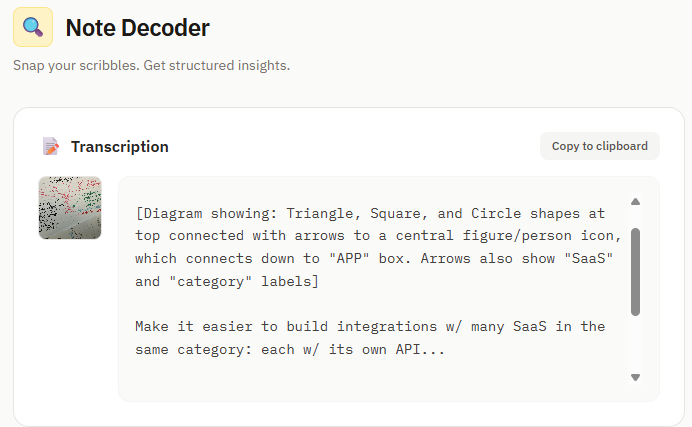
Clean transcription: You get a copy-ready text version of your notes.
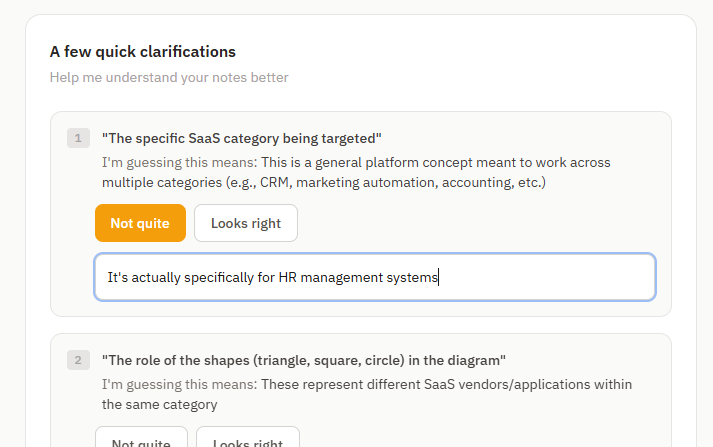
Guided cleanup: The tool walks you through its interpretation and asks for clarifications (“WTF does ‘PX689 at 7 o’clock blue’ even mean, bro?”).
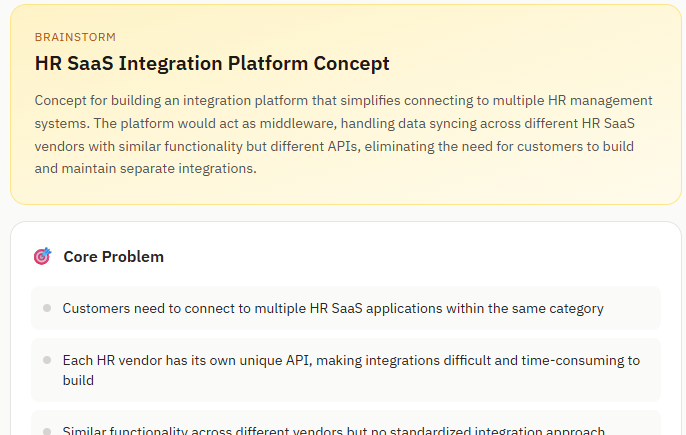
Structured output: You get a nicely formatted page with key decisions, action items, and other outputs relevant to your notes and answers.
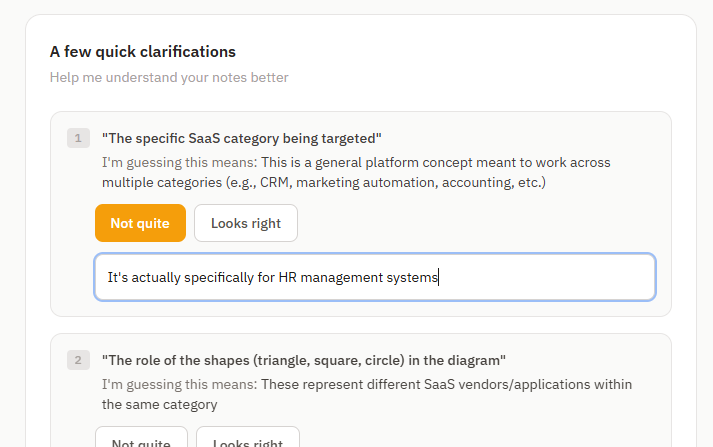
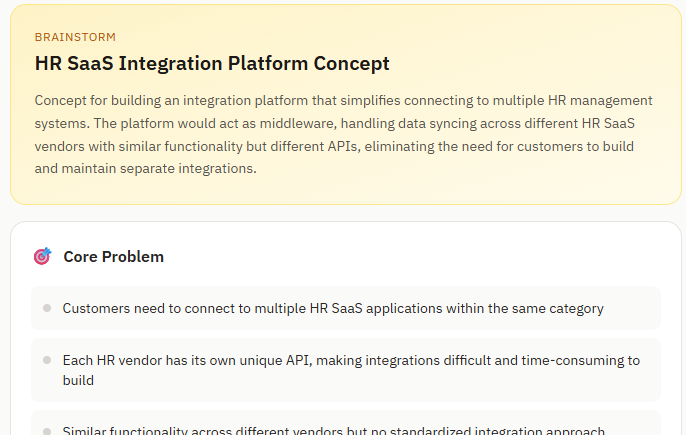
Note Decoder makes sure your notes become something actionable instead of gathering dust in a corner somewhere.
All you need is a free Claude account: