

A few weeks ago, Boris Cherny (who runs Claude Code at Anthropic) went viral with this short clip about his mindset shift from prompting to “loops”:
Here’s what he said:
“I don’t prompt Claude anymore. I have loops that are running. They’re the ones that are prompting Claude and figuring out what to do. My job is to write loops.”
In less than a millisecond, “loop engineering” became the next big hype train:
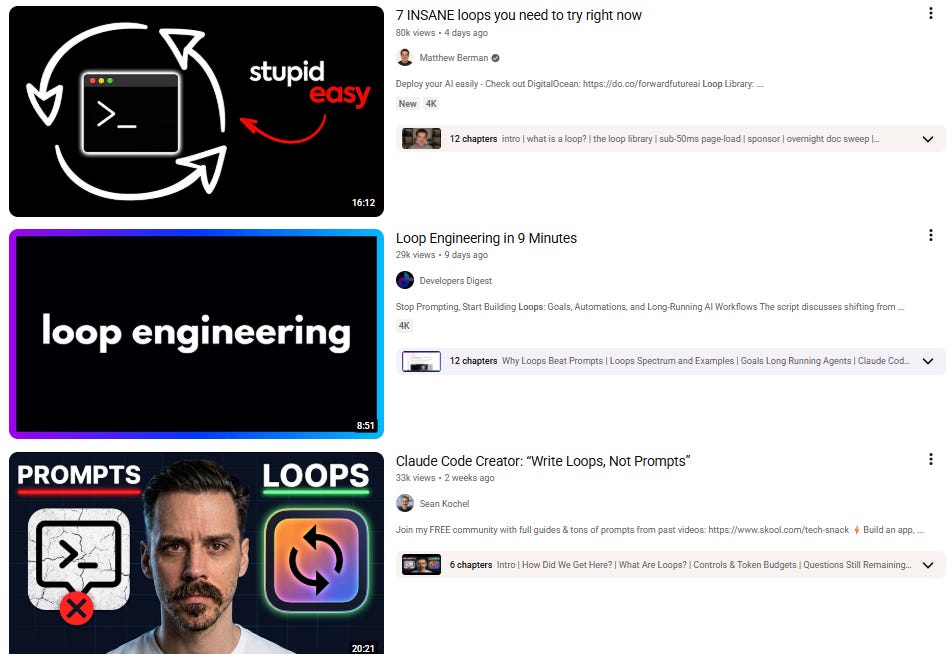
Between prompt engineering, context engineering, and loop engineering, we’ve officially overengineered ourselves into oblivion.1
But “loop engineering” is just a fancy word for a concept most of us already know.
Let’s talk about loops and what “regular people” versions of them look like.
What’s a “loop,” even?
Strip away the hype, and a loop is just a set of instructions that runs based on a trigger until it meets a certain condition.
That’s it, really.
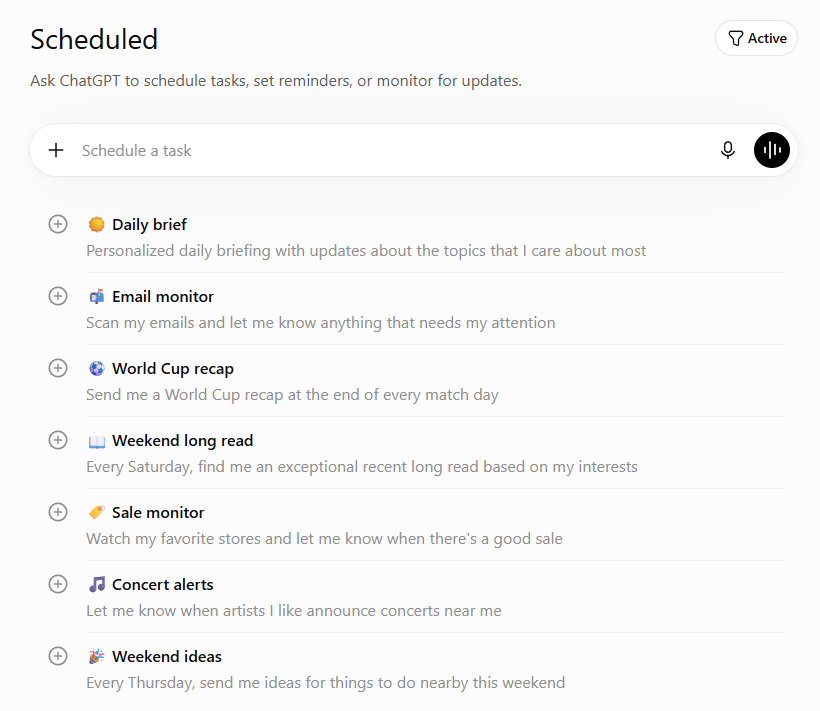
As a simple example, a recurring scheduled task that scans your inbox, identifies high-priority messages, and sends you a filtered summary is a loop.
Go to ChatGPT’s “Scheduled” section, and guess what you’ll find? Loops!
If you want a slightly more agent-adjacent definition, I like this one from Addy Osmani:
“[a loop is] a recursive goal where you define a purpose and the AI iterates until complete.”
This is closer to what Boris referred to. In this maximalist case, the agents might also be responsible for setting their own goals, spawning sub-tasks, and triggering future loops.
But unless you’re building complex agentic systems, this kind of loop engineering is pure overkill.
For most of us, basic loops are plenty.
But how exactly do you build them?
How to create loops in Claude Code & Codex
You can think of there being two complementary types of loops:
Scheduled (or action-triggered) loops
Goal-driven (“run until condition is met”) loops
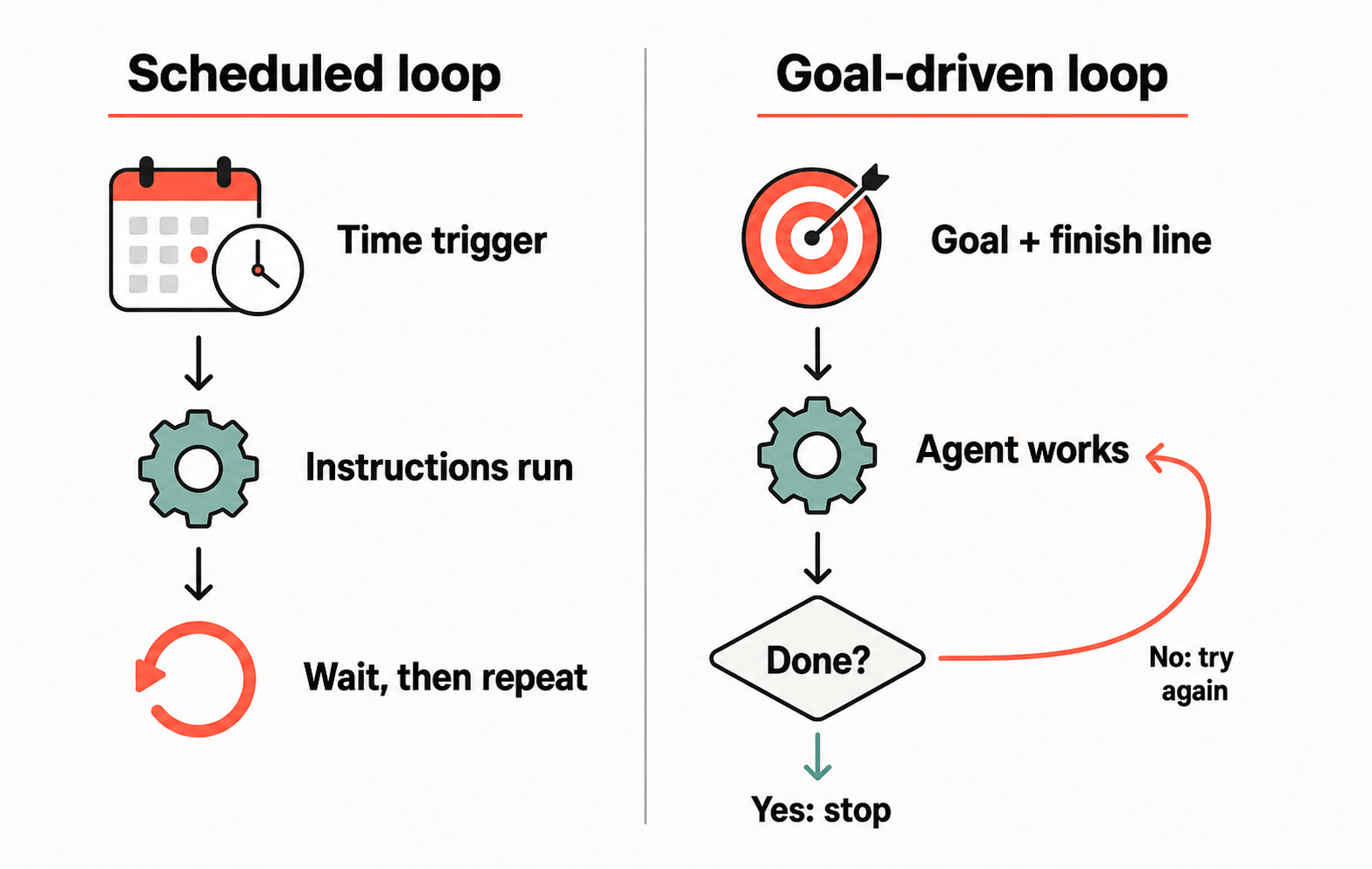
The two most popular agentic platforms—Claude Code and Codex—handle both of these natively, and the setup isn’t nearly as complicated as the term “loop engineering” would have you believe.
Here’s my primer for making Claude Code and Codex work together.

Let’s look at the platforms’ triggered loops first.
Scheduled loop: Routines & Automations
Remember that most loops have triggers, which can be several things:
Manual trigger: Task starts when you, say, send a prompt to a chatbot or agent. (This one literally has a human in the loop, so it’s technically not an agentic loop.)
Schedule: Task starts at a specific time or date (often recurring).
Event: Task starts when something happens (e.g. a sheet is updated or a new email comes in).
Both Claude Code and Codex have built-in event and schedule triggers.
In Claude Code, they’re called “Routines”:
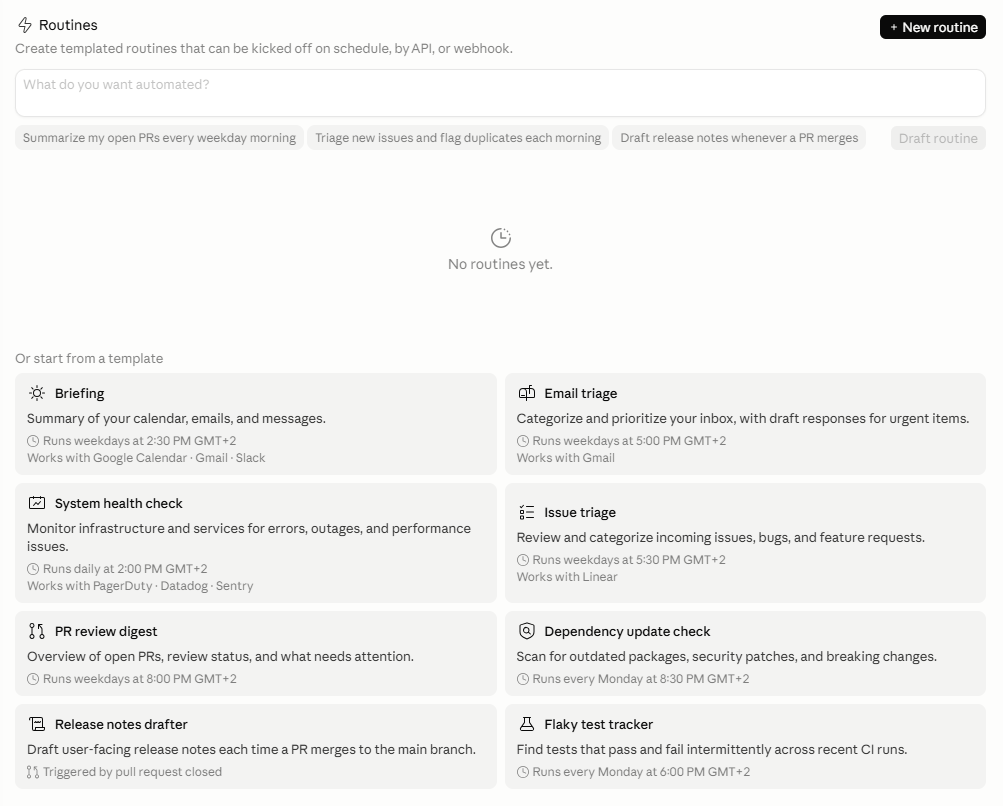
In Codex, they’re called “Automations”:
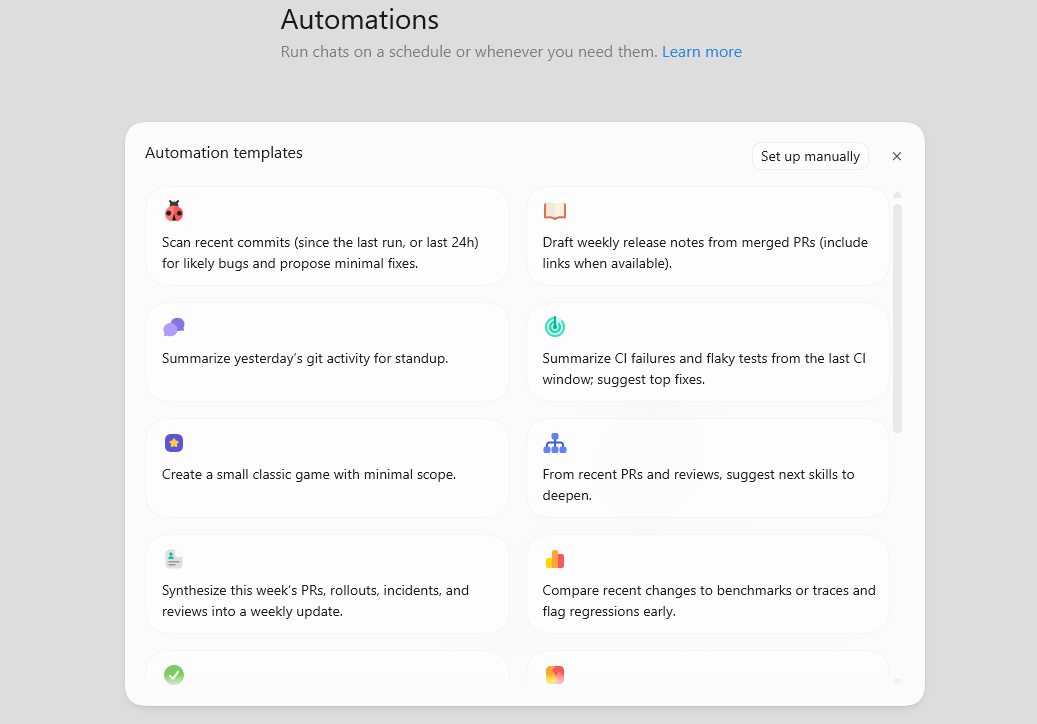
Both platforms offer a healthy selection of starter templates you can explore.
To set up a routine/automation, provide instructions and pick a trigger that’ll initiate it:
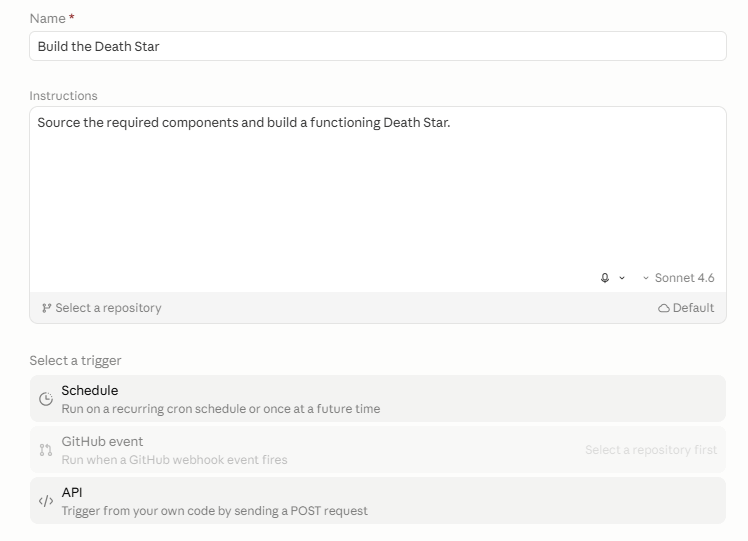
But a more interesting type of loop works toward meeting an explicit, measurable condition.
Goal-driven loop: the /goal command
With events or schedules, the “loop” is triggered externally (the clock strikes three or a new Slack message pops up).
With goals, the loop is built into the process: The agent keeps taking turns until the condition is fully satisfied.
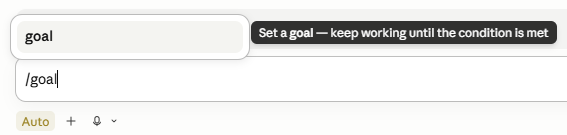
Claude Code and Codex have an identical native command for this called “/goal”:2
Claude Code:
Codex:
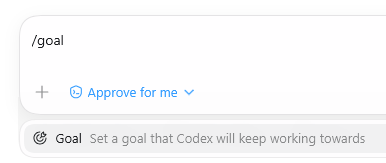
You type it and then describe the “Done” condition to check against:

Now, the agent works autonomously on the task, tests its results against the given condition, and continues over multiple turns until the condition is met.
So, a loop.
Note: There is some discipline to defining effective goals and setting guardrails and fallbacks (e.g. “stop after 10 turns”). Otherwise, the agent can chew through your tokens or usage limits like a hungry hungry hippo with nothing to show for it.
Now that you know about the two types of loops, let’s look at two examples.
Two loops to try right now
Here’s an example of each type of loop:
1. Actionable news briefing (schedule loop)
Set up your recurring schedule in a Routine (Claude Code) or Automation (Codex), then paste this into the “Instructions” field:
I want to [my goal] related to [topic]. Search for relevant developments from the past [time period]. Only include developments related to my goal. For each one, summarize what happened and whether I should act on it now, keep watching, or ignore it. For anything actionable, suggest one specific next step.
2. Product or service recommendation (goal loop)
Use this prompt in combination with the /goal command in either tool:
/goal Research [type of product/service] and recommend the best option based on [my criteria]. Don’t stop until you’ve identified and evaluated at least three options with confirmed pricing from the vendor’s own website (not third-party sites), a rating from a reputable platform (G2, Capterra, Trustpilot, etc.) with at least 10 reviews, and at least one real user complaint from those reviews.
🔁30 loops for your inspiration
Claude and I put together a “Loop Starter Kit” with 30 loop ideas (15 of each type), complete with copy-paste prompts and examples.
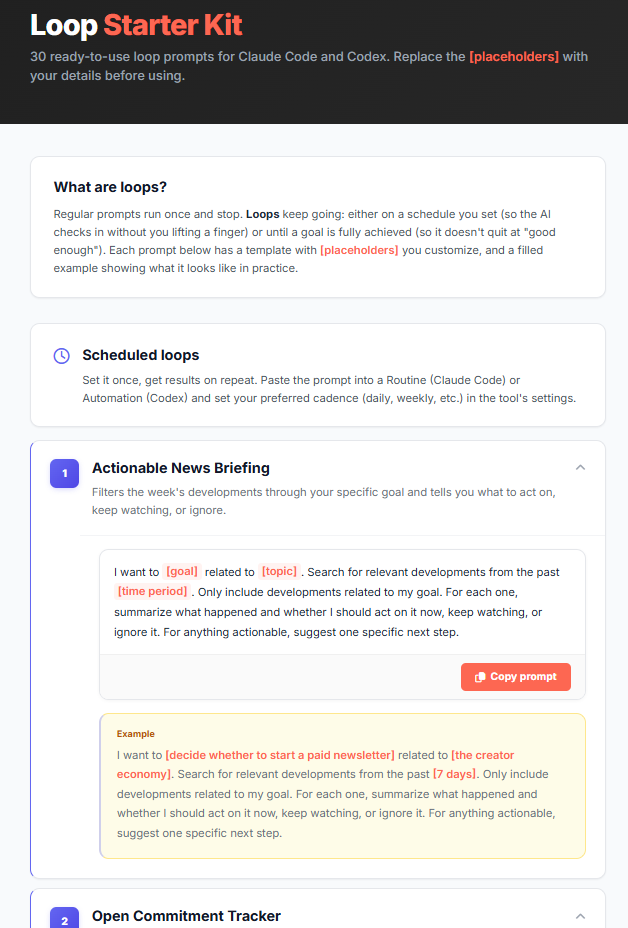
Paid subscribers can grab it here:

Thanks for reading!
If you enjoy my work, here’s how you can help:
❤️Like this post if it resonates with you.
🔄Share it to help others discover this newsletter.
🗣️Comment below, I love hearing your opinions.
Why Try AI is a passion project, and I’m grateful to those who help keep it going. If you’d like to support me and unlock cool perks, consider a paid subscription:
Yes, this was just a thinly veiled excuse for all-out alliteration. Thanks for asking!
In Claude Code, /goal spawns a separate “evaluator” agent to check if a condition is met.