

Happy Sunday, friends!
Welcome back to the weekly look at generative AI that covers the following:
Sunday Rundown (free): this week’s AI news + a fun AI fail.
Sunday Bonus (paid): an exclusive segment for my paid subscribers.
In case you missed it, here’s this week’s Thursday deep dive:
New Interactive Explainers: ChatGPT vs. Claude
·Last week, Anthropic and OpenAI both released interactive visual explainers for their chatbots.

If you’re consistently missing out on my emails, remember to check your “Promotions” tab and mark whytryai@substack.com as a “Safe Sender.”Let’s get to it.
🗞️ AI news
Here are this week’s AI developments.
👩💻 AI releases
Adobe expanded access to Firefly Custom Models and video tools, letting you you train AI to generate images and videos in your own style.
Anthropic news:
Claude Code channels let you control Claude through third-party messaging MCPs, starting with Discord and Telegram.
Cowork now incorporates the Projects feature, so you get to keep your related tasks and context in a single place.
Character.ai launched Imagine Gallery, an organized space to save and share AI-generated images from your chat sessions.
Cursor launched Composer 2, a coding model that can execute long multi-step tasks with better accuracy and at a lower cost.
Google news:
AI Studio now incorporates Antigravity and Firebase to help you turn prompts into full-stack apps with backend, authentication, and APIs built in.
Personal Intelligence rolled out to free users, so Gemini can remember your preferences, projects, and personal context across conversations.
Stitch evolved into an AI-native design canvas in Google Labs that lets you create and edit full-fledged app interfaces from prompts.
Manus launched My Computer for your desktop that gives its AI agent direct access to your local files, apps, and tools.
Microsoft launched MAI-Image-2, a text-to-image model for design work that excels at photographic images and text. (Try it for free.)
MiniMax released M2.7, a competitive model for software engineering, productivity, and agentic tasks. (Try it for free.)
Mistral open-sourced Small 4, a cost-efficient model that combines reasoning, multimodality, and agentic coding in one.
OpenAI launched GPT-5.4 mini and GPT-5.4 nano for faster coding, tool use, and high-volume API work.
🔬 AI research
Anthropic is rolling out Dispatch that lets you send tasks to Claude Cowork from your phone. (Research preview for paid subscribers.)
Midjourney opened its V8 model for alpha testing with faster image generation and better text rendering.
NVIDIA is previewing NemoClaw that can one-click install always-on agents like OpenClaw with better built-in privacy and security.
OpenAI is reportedly working on a desktop “superapp” that combines ChatGPT, Codex, and its Atlas browser into a single platform.
Together AI is working on Mamba-3, a new state space model that’s faster and cheaper than traditional LLMs with better accuracy on long-running tasks.
📖 AI resources
“State of AI 2026” [REPORT]—a series of reports on AI workplace impacts from NVIDIA based on surveys with thousands of leaders.
“US Job Market Visualizer” [REFERENCE]—Andrej Karpathy’s project that maps how AI affects different types of jobs.
🤦♂️ AI fail of the week
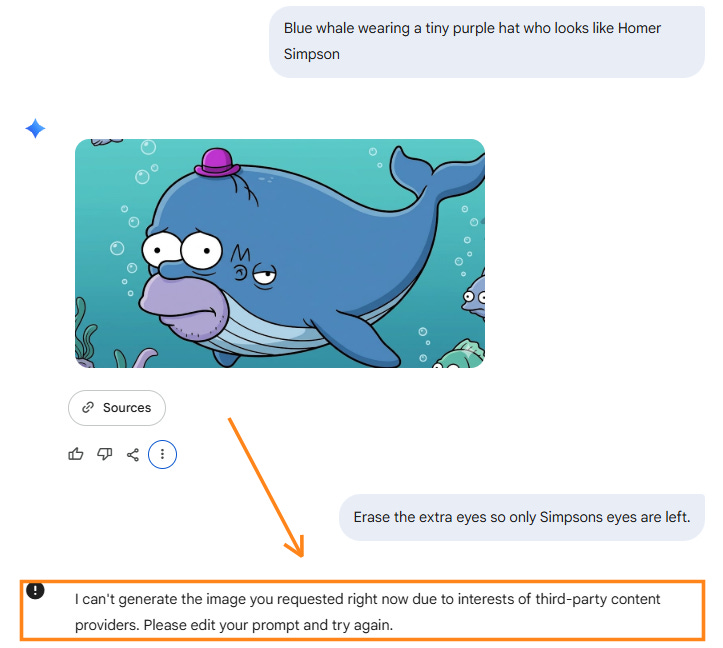
Really, Gemini? That’s where you draw the line?!
💰 Sunday Bonus #94: Find relevant tools and frameworks to improve your Claude Code setup
Last week, I built a brand-new “Claude Code Essentials” page and shared three self-installing Claude Code skills.
Today I’m adding a fourth:
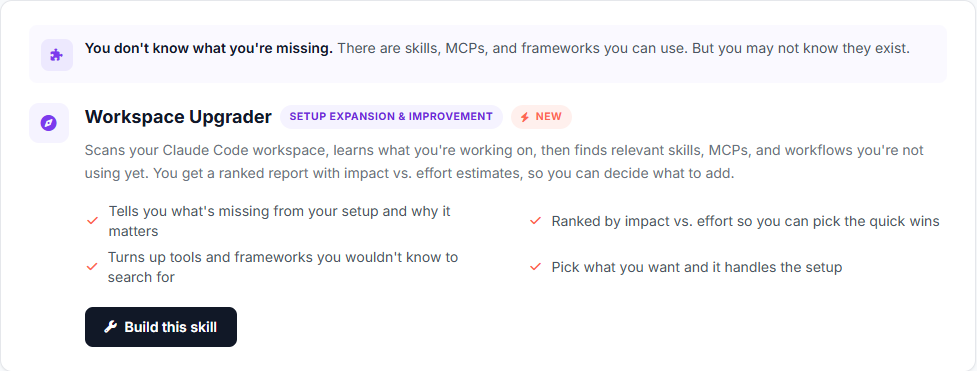
Workspace Upgrader helps you identify and prioritize new skills, tools, and frameworks that improve your Claude Code setup.
It autonomously scans your entire working folder (config files, subfolders, documents, notes, etc.) and searches the web for resources to make your specific workspace better.
You get a neat visual report with prioritized recommendations:
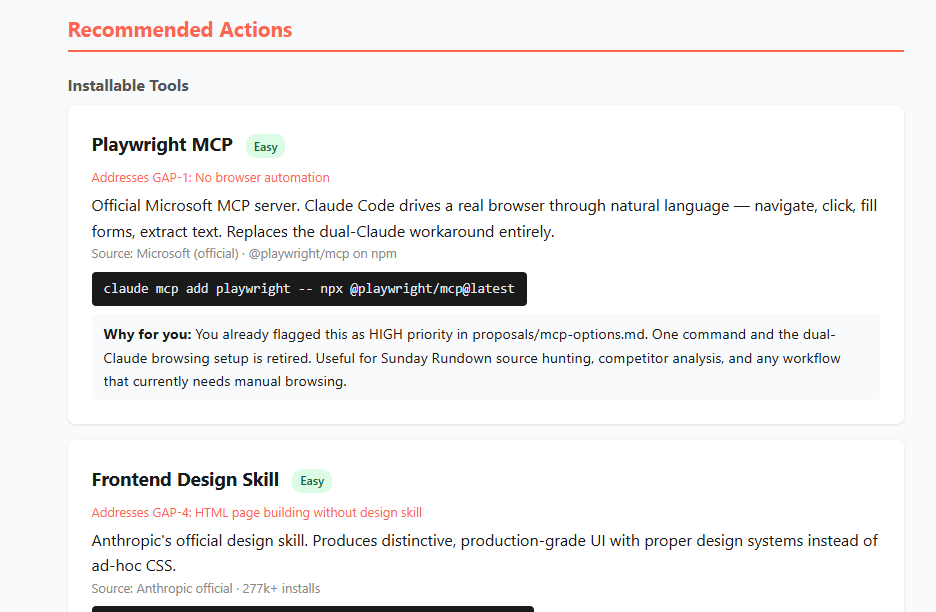
For every recommendation, Claude estimates the impact and effort it would take to implement:
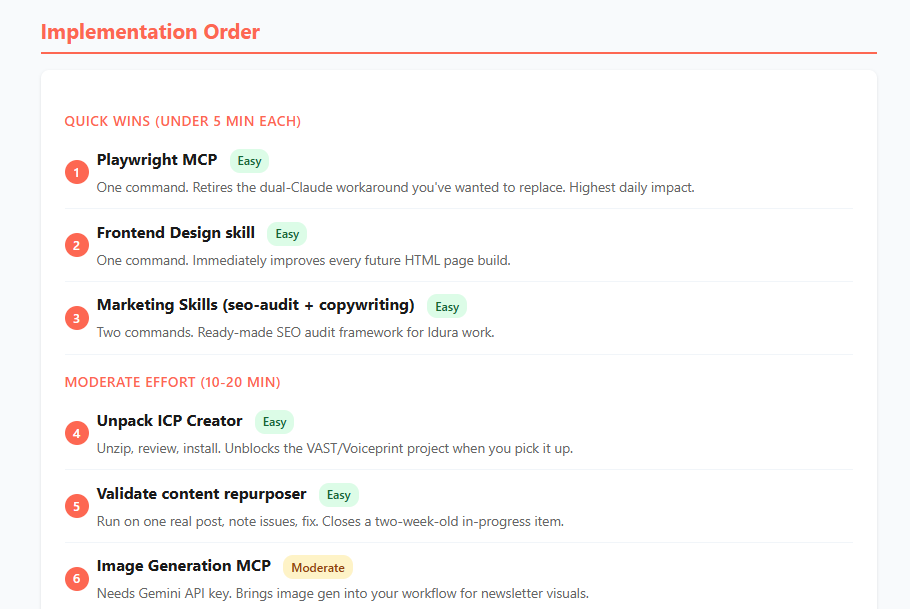
It’s a great way to find new skills, MCPs, tools, frameworks, etc. that are directly relevant to how you actually work.
Grab the self-installing skill here: