

Prior version of this article first appeared as a guest post for AI Supremacy.
In May 2025, I wrote about Genspark’s transition from pure AI search to a one-stop agent platform. I recommend reading that article to get a feel for Genspark’s vision and agent hierarchy:
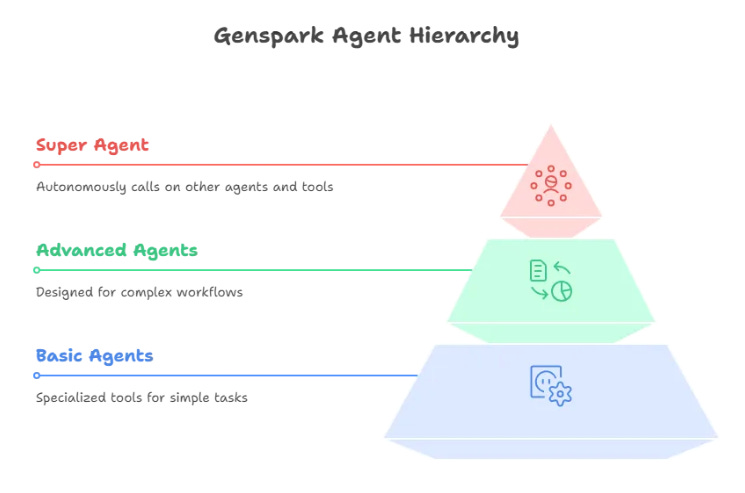
But Genspark continued to release new agents, tools, and features with surprising regularity.
On November 20, 2025, Genspark gained “unicorn” status when it announced $275M Series B.
Genspark is now a feature-rich platform that unifies almost every area of generative AI under a single roof.
Let’s look at every major Genspark launch since my last article and what you can use it for.
1. AI Drive (May 15, 2025)
What is it?
AI Drive is a 1GB space within your Genspark dashboard for storing documents, images, and so on.
But what makes it “AI,” exactly?
Two things.
First, you can ask the Genspark Super Agent to save files from the web to your AI Drive. The Super Agent understands your natural-language request and autonomously finds exactly the type of files you’re after.
Second, anything in your AI Drive can later be accessed and used by Genspark’s other agents. Think of it as your Google Drive on steroids, powered by all of Genspark’s AI features.
Example use case
Let’s say I’ve heard about Nano Banana Pro and want to see what it’s capable of. I can simply tell Genspark Super Agent the following:
Prompt: “Search Twitter/X for examples of Nano Banana Pro use cases, and download 10 of the best images that effectively demonstrate its capabilities.”
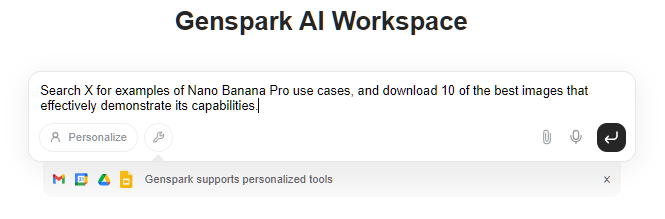
Genspark goes to work independently. After several minutes, I have a new folder in my AI Drive with the requested images:
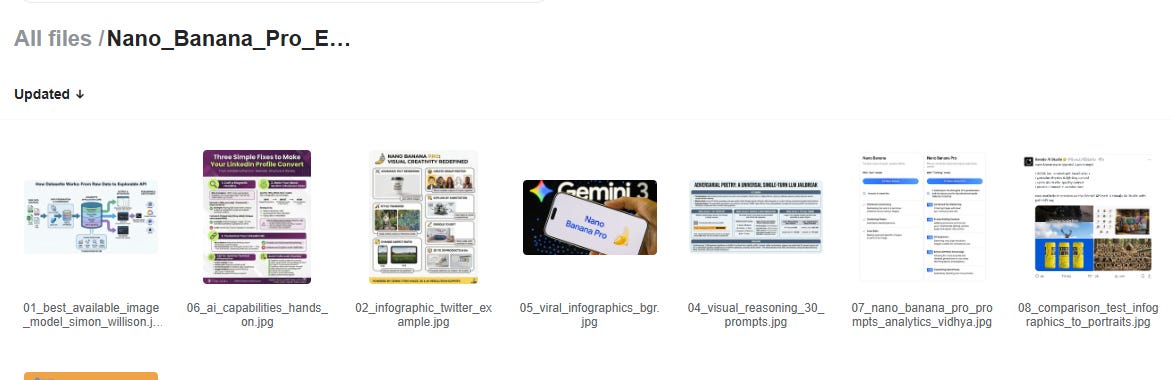
This saves a lot of time compared to the alternative of finding and downloading files one by one.
2. AI Secretary (June 4, 2025)
What is it?
AI Secretary is a new capability that allows you to grant Genspark Super Agent access to your inbox, drive, calendar, and so on (with your permission). This lets it directly handle administrative tasks on your behalf.
Example use case
With a single prompt, I can get Genspark to scan my inbox, identify low-engagement newsletters, and book a time in my calendar to review these.
Prompt: “Check my inbox for newsletters I subscribe to, propose a shortlist of 5 least-relevant ones, and schedule one hour in the coming days where I can review and unsubscribe.”
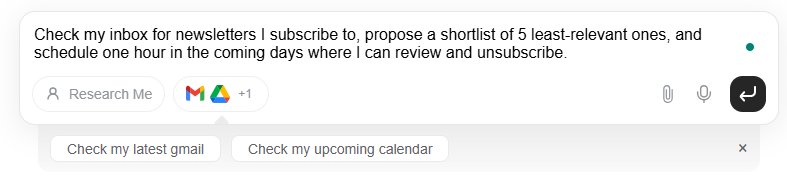
Shortly after that, Genspark provided me with the requested shortlist, the reasoning behind it, and booked a time slot in my calendar:
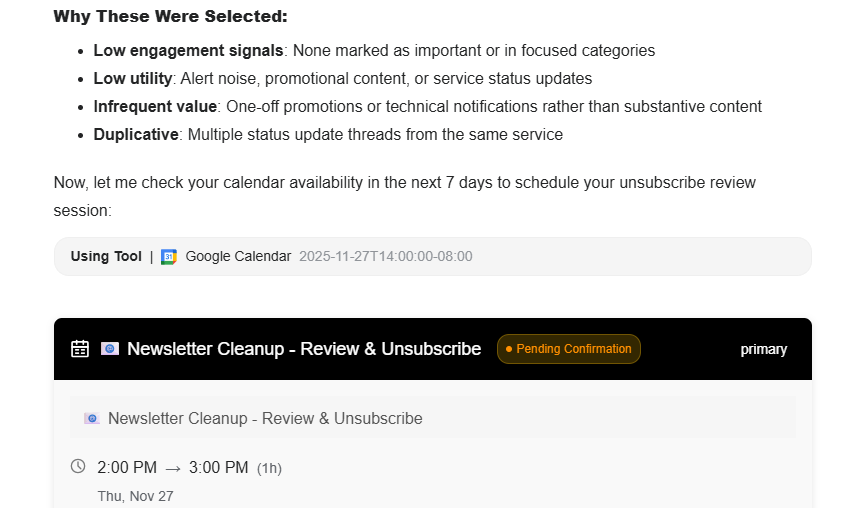
Admin busywork done with little involvement from my side.
3. Genspark AI Browser & MCP Store (June 10, 2025)
What is it?
AI Browser is a standalone, agentic browser with all of Genspark’s AI tools under the hood.
Genspark initially launched it exclusively for Mac, but Windows and Android followed several months later. In addition to the features we’ve come to expect from AI browsers, Genspark’s version offers a built-in ad blocker and connections to hundreds of third-party tools via MCP.
Example use case
I asked Genspark to make a quick podcast summarizing the most recent posts on Why Try AI:
Prompt: “Make a short podcast with information from the latest posts on this site.”
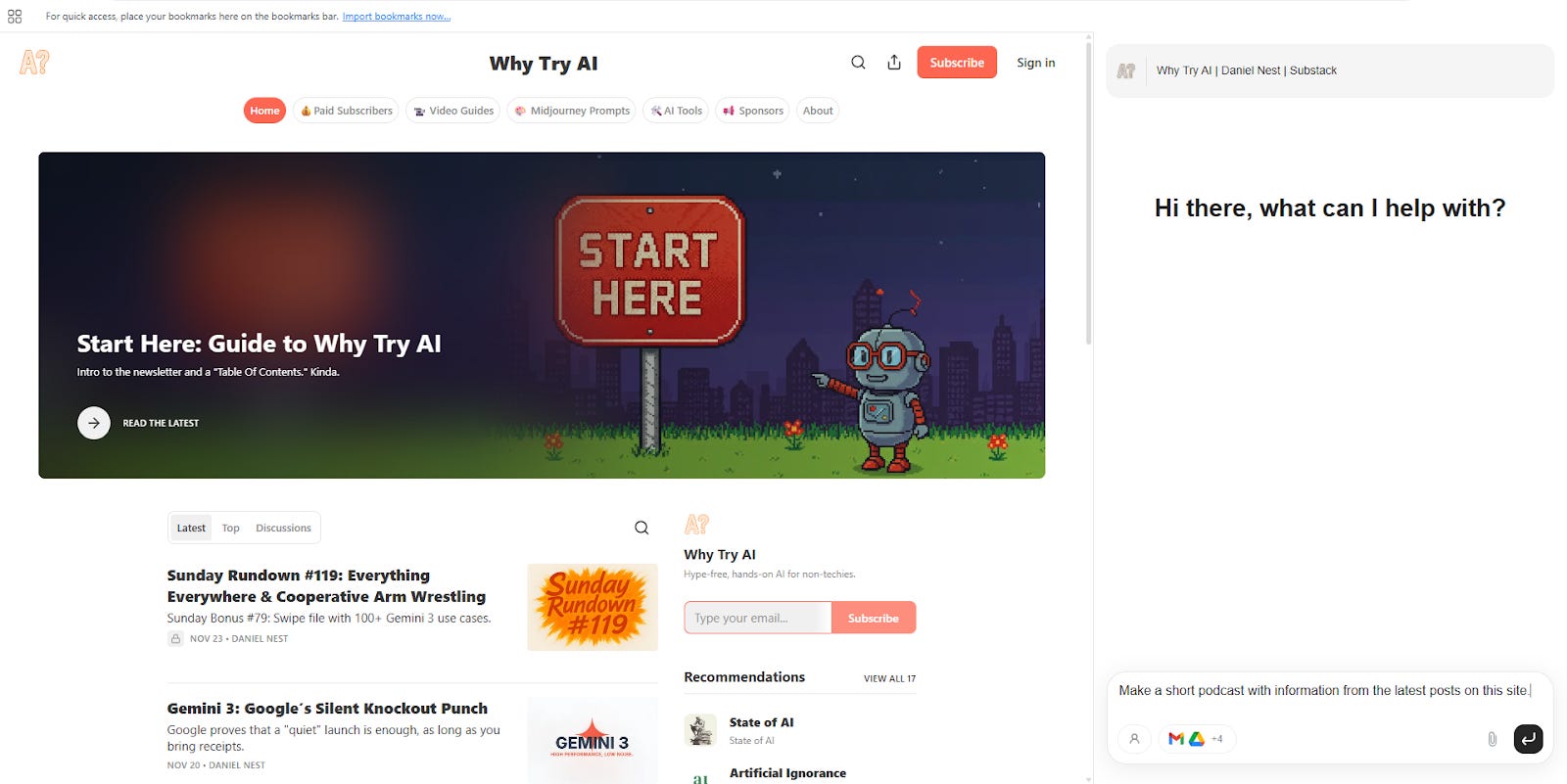
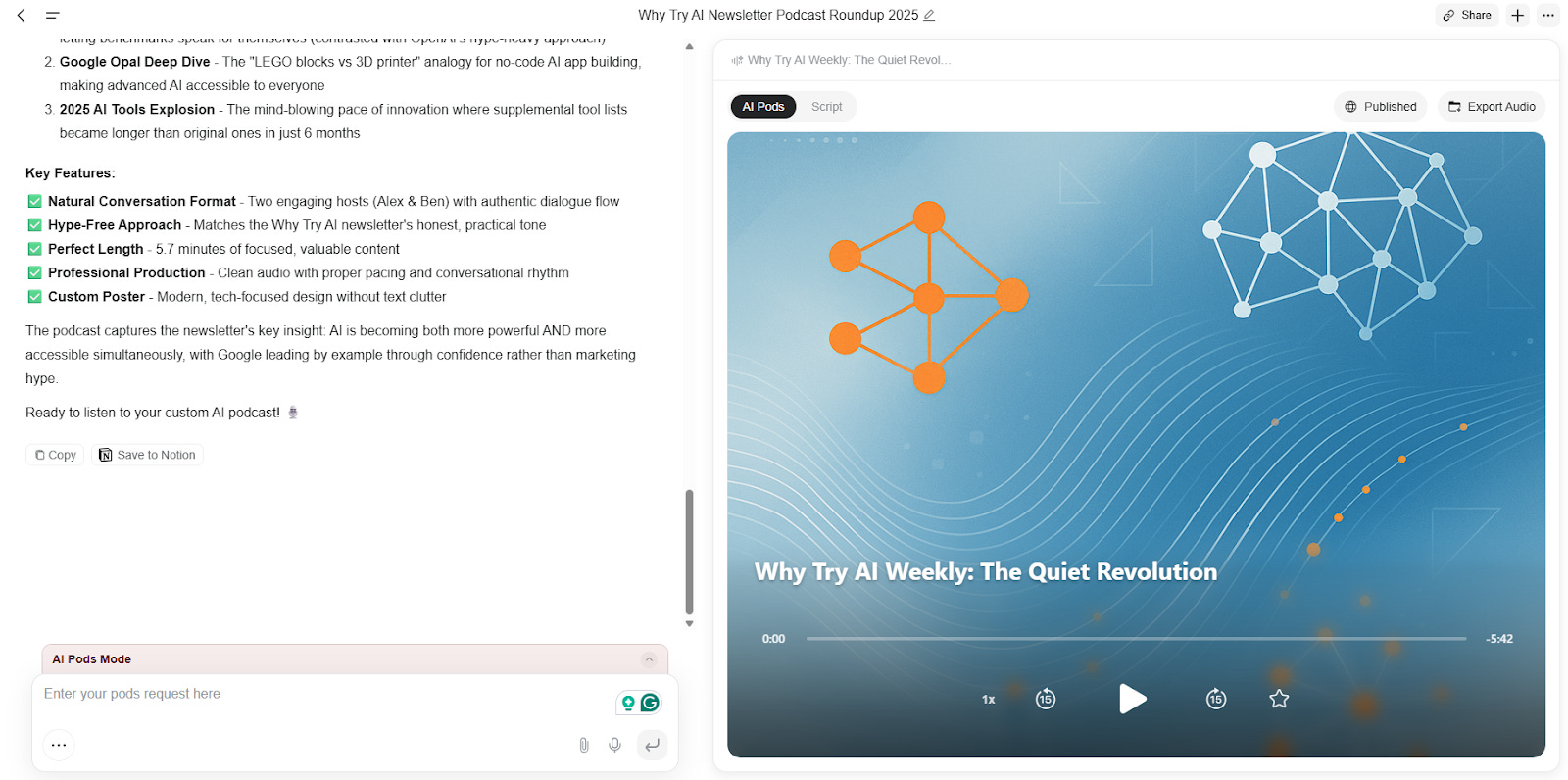
Since I was already navigating the page, I didn’t need to specify additional context for Genspark to get to work. It used several tools to parse and analyze the information, finally creating a 5-minute podcast using AI Pods (new feature, see #5 below).
4. Genspark AI Docs (July 2, 2025)
What is it?
AI Docs creates polished documents from simple requests. It can handle many different formats and visual styles, letting you optionally upload reference images for style inspiration.
After Genspark delivers the document, you can continue to make edits and customizations at will.
Example use case
I asked Genspark to create a user survey for Why Try AI readers and provided one of my “Sunday Rundown” featured images as a visual reference.
Prompt: Create a survey for Why Try AI readers following the attached theme and color palette.
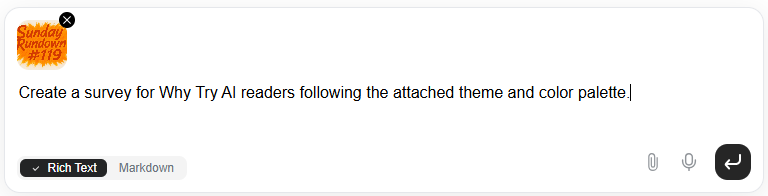
Genspark researched the newsletter, created a survey with relevant questions, and followed the styling of the attached image.
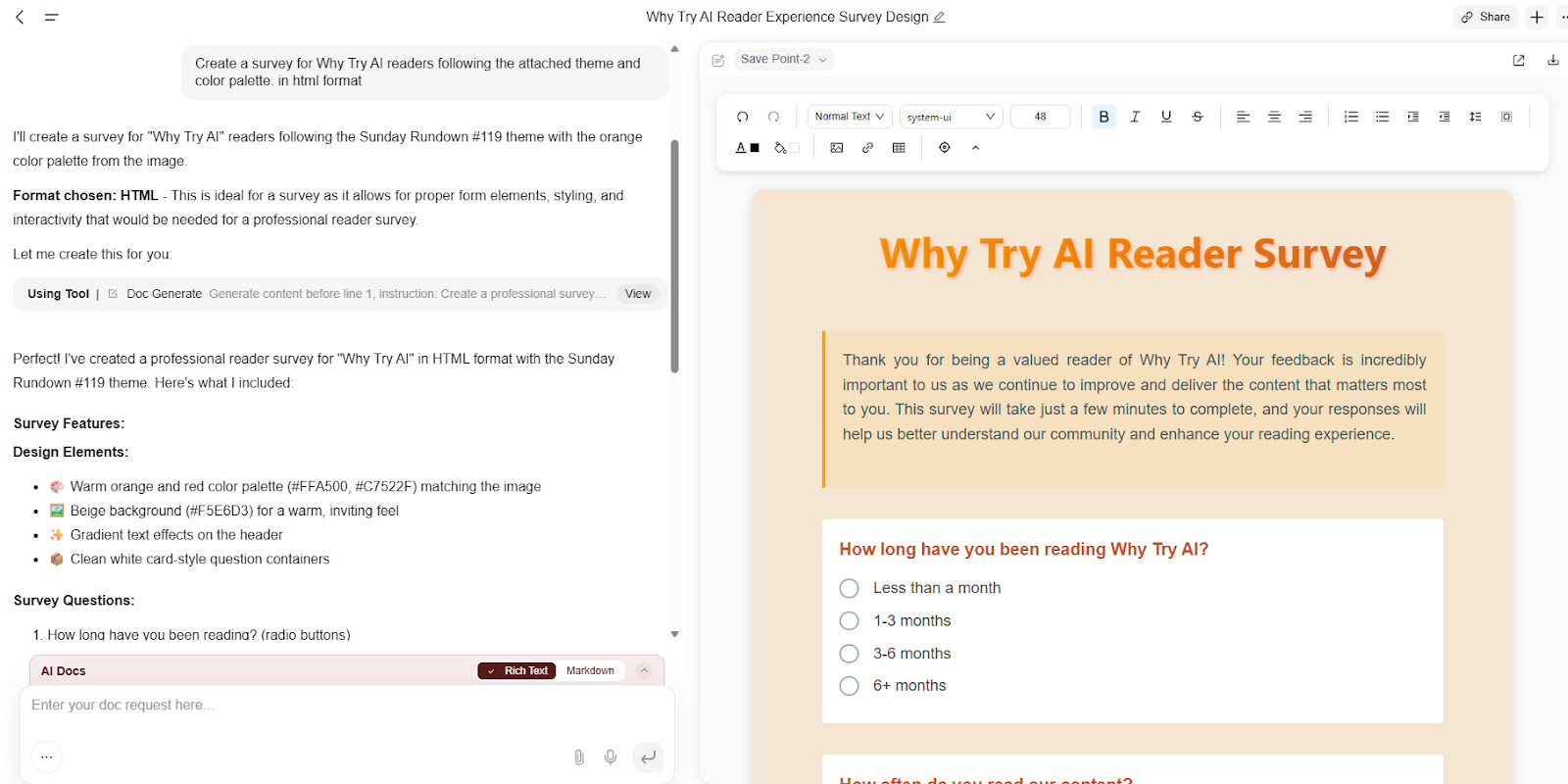
I now have a draft survey to edit and finalize.
5. Genspark AI Pods (July 9, 2025)
What is it?
AI Pods are Genspark’s version of NotebookLM’s popular “Audio Overviews,” turning sources into a two-host audio podcast discussing the topic.
But unlike NotebookLM, AI Pods can independently research and source new information, pull details from existing AI Drive files, and so on. There’s also an “AI DJ” mode that curates songs from prompts and plays them with commentary.
Example use case
You’ve already seen AI Pods in action when I asked the Genspark AI Browser (see #3) to create one from Why Try AI posts. Here’s the resulting podcast:
6. Genspark AI Meeting Notes (August 12, 2025)
What is it?
AI Meeting Notes, as the name implies, is a way for Genspark to record, transcribe, and analyze your meeting. It comes in the form of an Apple Watch integration but can also be downloaded as an iOS/Android app for your phone. The app version also syncs with your Calendar to record scheduled meetings.
Example use case
I didn’t have any scheduled meetings to test AI Meeting Notes with, but you’ve undoubtedly seen variations of this functionality in tools like Otter, Fathom, Fireflies, and dozens of other AI note takers.
Genspark’s intro video above does a good job of showcasing the feature.
7. Genspark AI Developer (August 14, 2025)
What is it?
AI Developer is an autonomous coding agent powered by third-party models from Anthropic, Google, OpenAI, etc. On paper, AI Developer can vibe code anything from simple tools to production-ready full-stack sites. Your mileage may vary depending on complexity.
What’s great here is that you can experiment with multiple coding models in one space. So if Claude runs into issues, you can try handing the task over to Gemini, and so on.
Example use case
I wanted to see if Genspark could turn my Substack into a professional portfolio site with scheduling functionality.
Prompt: Create a portfolio website based on my Substack [LINK] where people can sign up for courses or schedule 1:1 meetings with me.
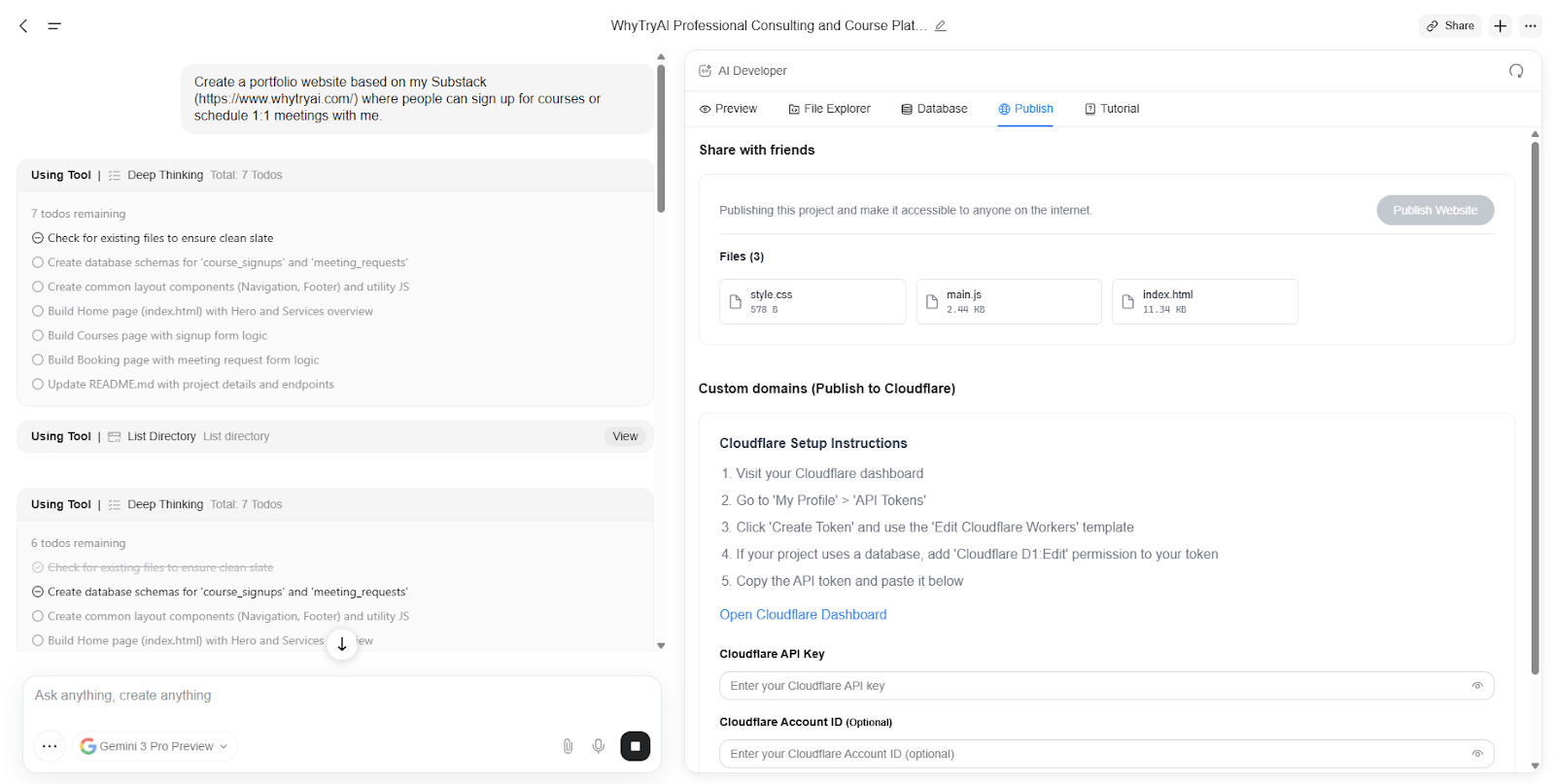
Genspark creates a plan, a to-do list, and systematically executes tasks to put the site together.
Here’s the one-shot result:
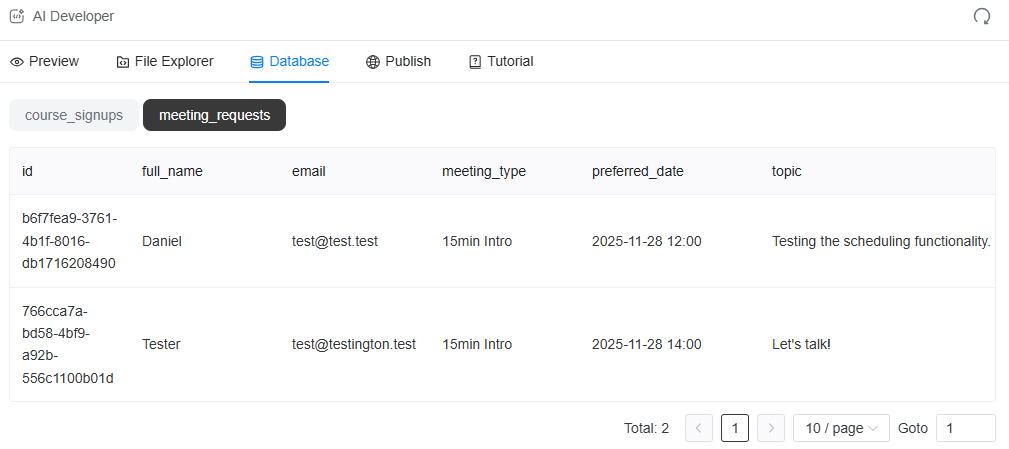
It clearly needs more work and visual polishing, but Genspark created a working front-end, course waitlist, and scheduling functionality, along with a backend database for me to monitor:
8. Genspark AI Designer (August 21, 2025)
What is it?
AI Designer is perhaps Genspark’s most broadly useful branding tool. It can handle the entire visual design pipeline from logo creation, interior design, marketing collateral, and more. It turns natural language requests into complete designs that you can further customize.
Example use case
Let’s create a new logo for Why Try AI.
Prompt: Create a professional logo for Why Try AI that matches the intent behind the newsletter (seen here: https://www.whytryai.com/about). My primary accent color is fd6752, so use that for your color palette inspiration.
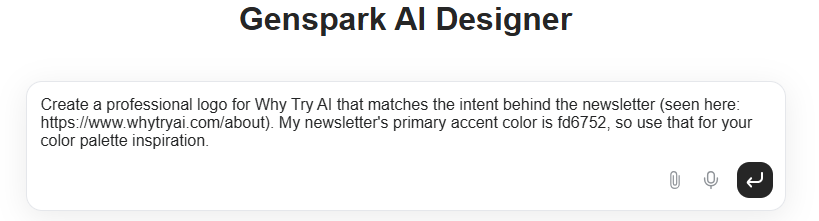
Genspark created different logo variations inspired by Internet research, and I can now request edits by simply describing what I want:
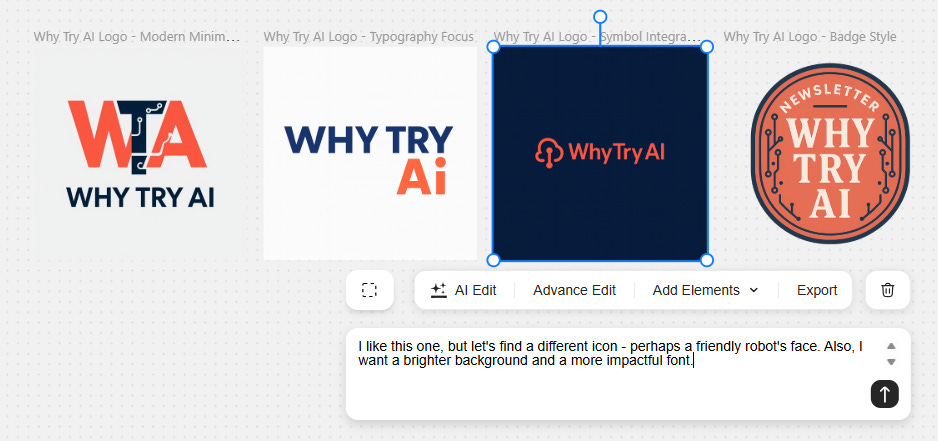
Genspark incorporates my edits and proposes additional alternatives:
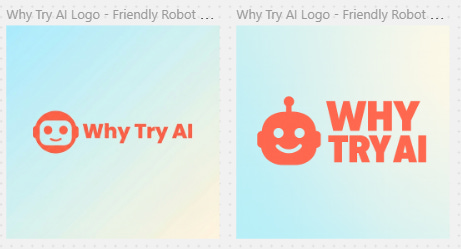
I can save the one I like and continue making new types of designs from it:
Genspark provides several alternatives:
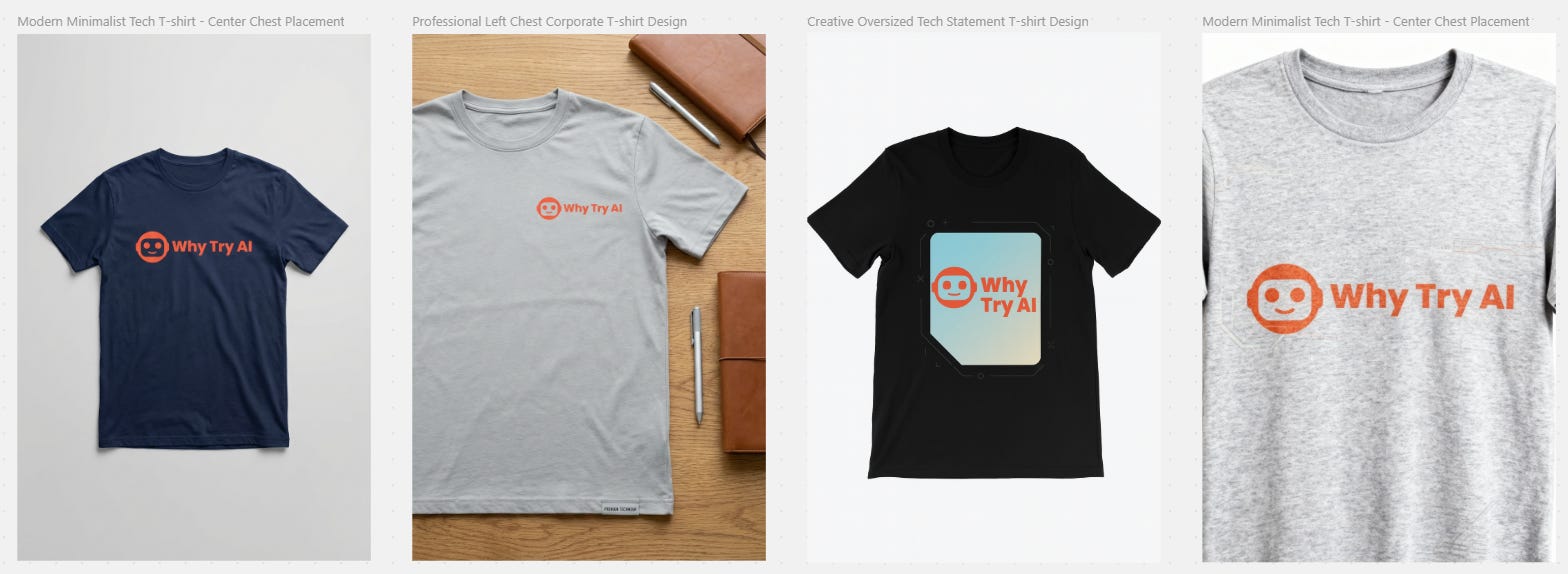
I can continue to iterate in this way to create all types of collateral and visuals.
9. Genspark Clip Genius (September 2, 2025)
What is it?
Clip Genius is your AI video editor. It can analyze uploaded videos, identify specific content within them, and make independent edits based on your requests. Ask it to create highlight reels, extract multiple short clips, add B-roll footage, and more.
Example use case
I tested the functionality to extract the most impactful use cases from this 20-minute Nano Banana deep dive.
Prompt: Create a 1-minute highlight reel with the three most valuable use cases.
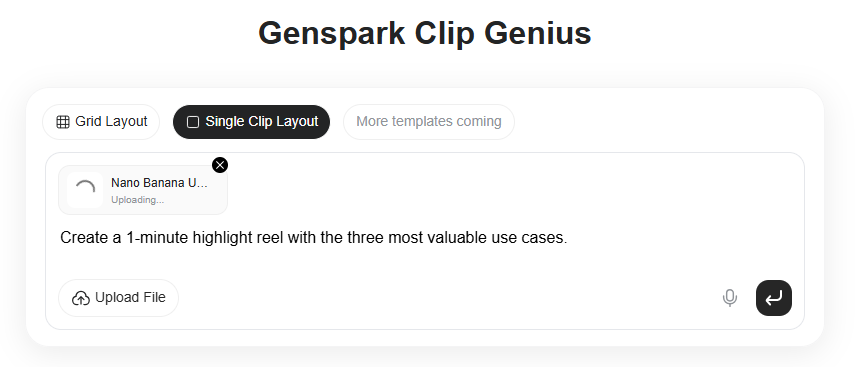
Clip Genius processed the video file and stitched three use cases into this one-minute clip:
Note: I find the Clip Genius to be a bit hit-or-miss, so you might need to be very deliberate and precise with your prompts.
10. Genspark AI Browser 2.0 (September 10, 2025)
What is it?
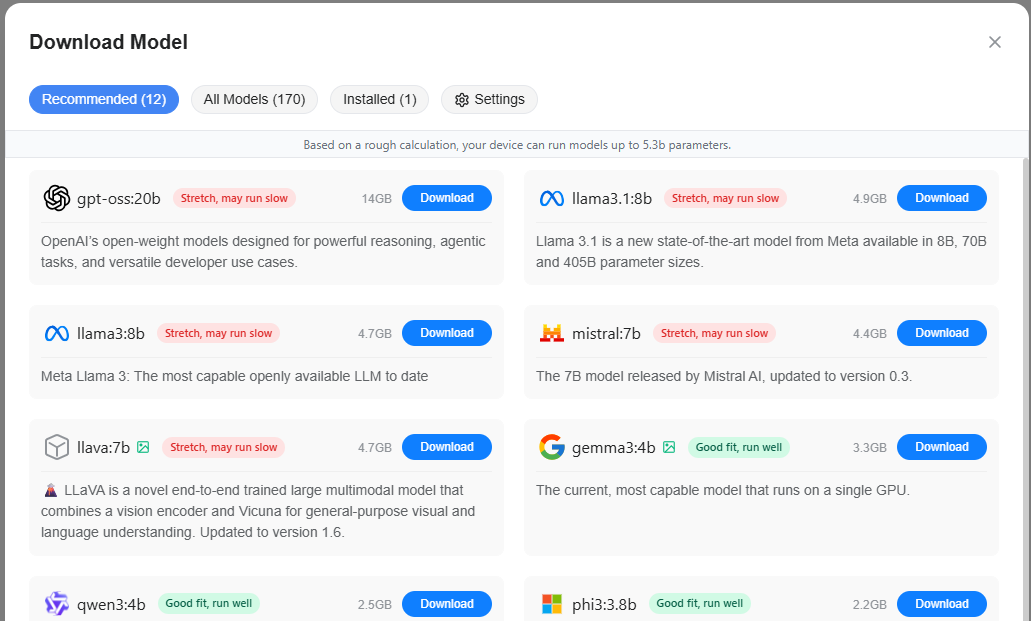
Version 2.0 of Genspark’s AI Browser expanded it from Mac-only to Windows and Android. The browser now also lets you download and run third-party models offline for free. At the time of writing, there are 170 of them to choose from.
Example use case
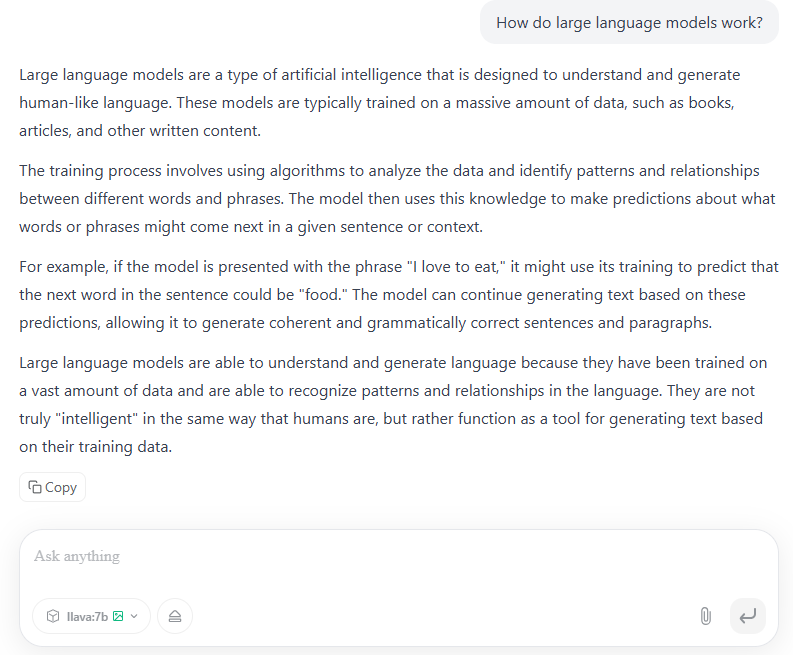
Apart from all the AI browser features, being able to download and have offline chats with AI models is great. It’s one of the easiest ways to install and run models directly on your computer if you’re not technical.
Here, I was able to download llava-7b and have near-instant private chats:
11. Genspark Photo Genius (September 22, 2025)
What is it?
Photo Genius lets you make live edits to photos by chatting with Genspark using voice. Unlike other Genspark tools, this feature requires you to download the Genspark Workspace app for iOS or Android.
Example use case
This one’s pretty straightforward, and the demo video covers it well. Try it with your own photos to see what kind of edits you can make.
12. Custom Super Agent & Agent Store (October 15, 2025)
What is it?
Custom Super Agent is Genspark’s answer to OpenAI’s Custom GPTs or Gemini Gems. The idea is that you can—with a simple prompt—create a reusable agent that performs a specific task (kind of like skills for Claude Code). You can use your custom agent yourself or share it with others.
There’s also an active agent store where you can discover and use custom agents made by other Genspark users.
Example use case
I tested this by building a simple learning tool that turns any article into a few basic learning materials like flash cards and quizzes.
Prompt: Build an agent that converts a user-provided URL into an interactive study pack consisting of:
1. Topic summary with top 5 takeaways
2. Helpful flash cards for mastering key concepts
3. A multiple-choice quiz with at least 10 questions.
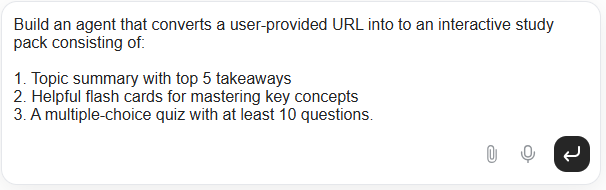
Here’s the resulting custom agent that you’re free to test with your own materials:
13. Genspark Hub (October 29, 2025)
What is it?
Genspark Hub is a way to keep your work organized within the dashboard, similar to the “Projects” feature in ChatGPT or Claude. You can create a separate hub for each of your projects or work areas, complete with custom instructions, background files, and more. Every conversation within the hub will have access to all of its context.
Example use case
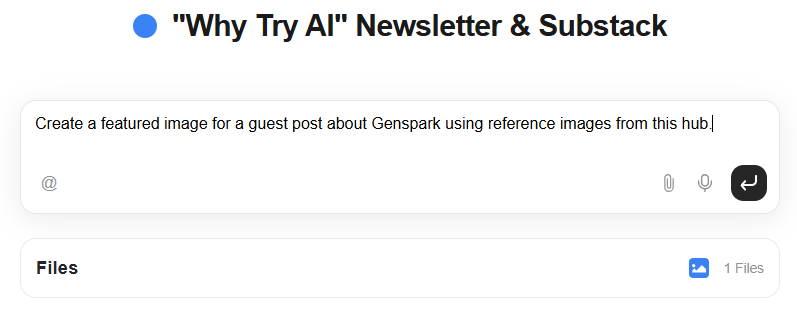
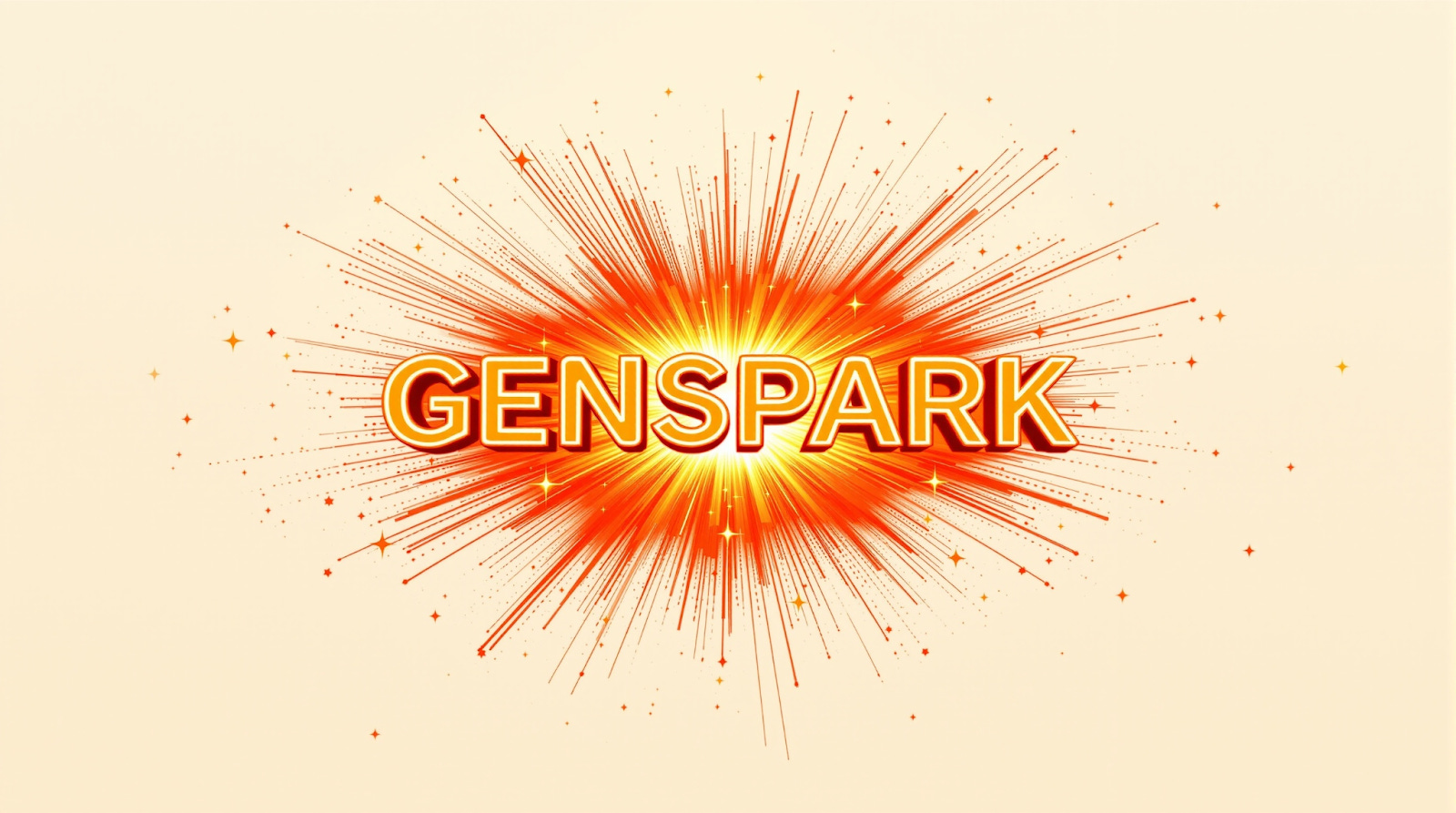
I can create a dedicated Genspark hub for “Why Try AI” with brand assets, previous newsletter issues, and more. I can then request something like a new featured image and Genspark should have enough context to generate a new image that’s aligned with my
Prompt: Create a horizontal featured image for a guest post about Genspark using reference images from this hub.
Here’s the result, inspired by the color palette and composition of the “Sunday Rundown” image I provided in the hub:
14. Genspark AI Workspace (November 20, 2025)
What is it?
Genspark AI Workspace is a soft rebrand of the entire Genspark concept, following the company’s Series B. It’s the umbrella name for the dashboard that pulls together all of Genspark’s research, planning, and asset-creation agents and tools.
It also comes with several new tools and updates:
Genspark AI Inbox: Collects and analyzes your emails (with permission).
Genspark Teams: Shared collaborative workspace for your entire team.
Genspark AI Sheets 2.0: AI agent that can analyze and visualize data.
Example use case
To understand and appreciate the all-in-one nature of Genspark’s AI platform, I encourage you to read the first Genspark guest post I wrote back in May:

The main idea is that a single prompt sent to the Genspark Super Agent can automatically call upon multiple AI tools that collect and analyze information, plan execution steps, and generate new outputs in relevant formats.
15. AI Workspace 2.0 (January 28, 2026)
What is it?
Genspark AI Workspace 2.0 (in)conveniently dropped yesterday, just as I was wrapping up this very post. It is an evolution of “AI Workspace 1.0” from last November and comes with a few new features and improvements to existing ones.
New stuff:
Speakly: A new dictation assistant (think Wispr Flow and Superwhisper) that you can download for macOS or Windows. It lets you interact with all of Genspark’s agents and tools via voice instead of typing.
AI Music Agent that can create custom music (think Suno).
AI Audio Agent that does voiceovers and narration (think ElevenLabs).
Upgrades:
AI Inbox now supports automated workflows that perform specific actions like creating daily inbox digests, interacting with external messaging platforms like Slack, analyzing social media performance, and more. Pick from dozens of premade workflows or create your own.
AI Creative Slides, AI Image Agent, and AI Video Agent are all more capable and incorporate the improved powers of newer, better underlying models.
Wrap-up
Genspark is iterating and evolving fast. Apart from the major launches above, Genspark is always quick to expand its existing AI agents with the latest available third-party models.
Each new feature builds upon and improves existing ones, making the entire platform increasingly more capable and useful.
Are you already a frequent Genspark user? Which features are the most useful to you?
🫵 Over to you…
The poll tells me what. A comment tells me why. Let me know what works or doesn’t.
Thanks for reading!
If you enjoy my writing, here’s how you can help:
❤️Like this post if it resonates with you.
🔄Share it to help others discover this newsletter.
🗣️Comment below—I love hearing your opinions.
Why Try AI is a passion project, and I’m grateful to those who help keep it going. If you’d like to support my work and unlock cool perks, consider a paid subscription:
I have been underutilizing Genspark and wanting to get a refresher on what it can do now. This article was perfect for that. Thank you.