

Paid subscriber bonus: Grab the Claude Code Essentials pack with self-building skills, customizable workflows, and copy-paste starter prompts.
Welcome to the newest installment of what is now The Claude Code Trilogy.1
If you followed along, you should already know how to:
But learning the “how” isn’t quite the same as figuring out the “What now?!”
To help with that, let me share several examples of how I actually use Claude Code and tips I picked up along the way.
Let’s get Clauding™!
Claude Code Series
Check out my previous Claude Code articles to learn how to:
Identify what Claude Code can help you with (and know how to ask for it)
Use Claude Code with Obsidian to set up your personal knowledge base
Test & improve Claude Code skills with Skill Creator and my “Eval Maker”
Make Claude Code work with other agents in a shared workspace
Use helpful Claude Desktop features in your Claude Code workflows
5 ways I’ve already used Claude Code
I honestly didn’t expect to embrace Claude Code as quickly as I did.
For my first “getting started” post, I almost had to force myself to try it
But here we are, just a few weeks later, and I am Clauding™2 it up on the daily.
For once, I truly feel like I have this competent sidekick that not only talks a good game but does a good…code? You know what I mean!
Here are five real uses I found for Claude Code in just the past two weeks or so.
1. Built a genuinely useful Android app
My son plays as a goalie for a U12 ice hockey team here in Copenhagen.
Back in 2025, I made a simple Claude Artifact to track his games: shots on goal, goals, intercepts, save %, and so on.
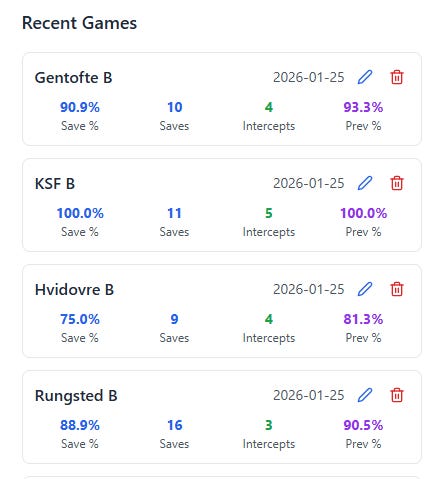
The Artifact worked well enough, but only inside a browser.
It also required a Claude account and didn’t let me share or export game data. My wife and I kept talking about its drawbacks, but after several only partially successful sessions with Claude, I kind of just gave up on trying to improve it.
Until last week.
Inspired by the promise of Claude Code, I dumped the Artifact code into the chat window and typed something like this:
Here’s a Claude Artifact I made to track my son’s goalie performance. Help me make an app version for my Android phone.
I won’t bore you with the details, but the gist of it is that Claude Code:
Parsed and analyzed the existing code and its functionality
Built the first iteration of the smartphone version
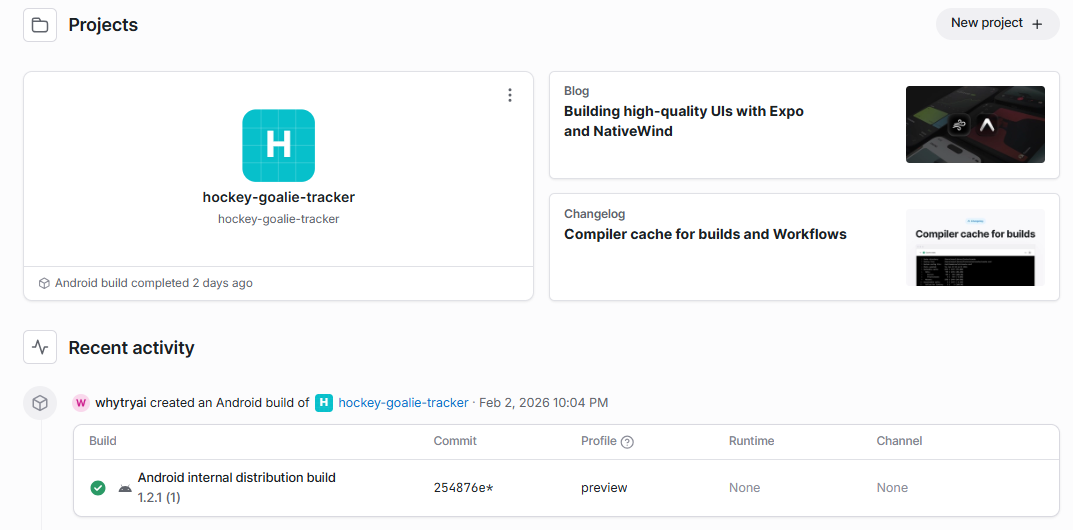
Walked me through every step of installing and running Expo3
Taught me how to build and load the app on my Android phone
And made several rounds of improvements based on my feedback
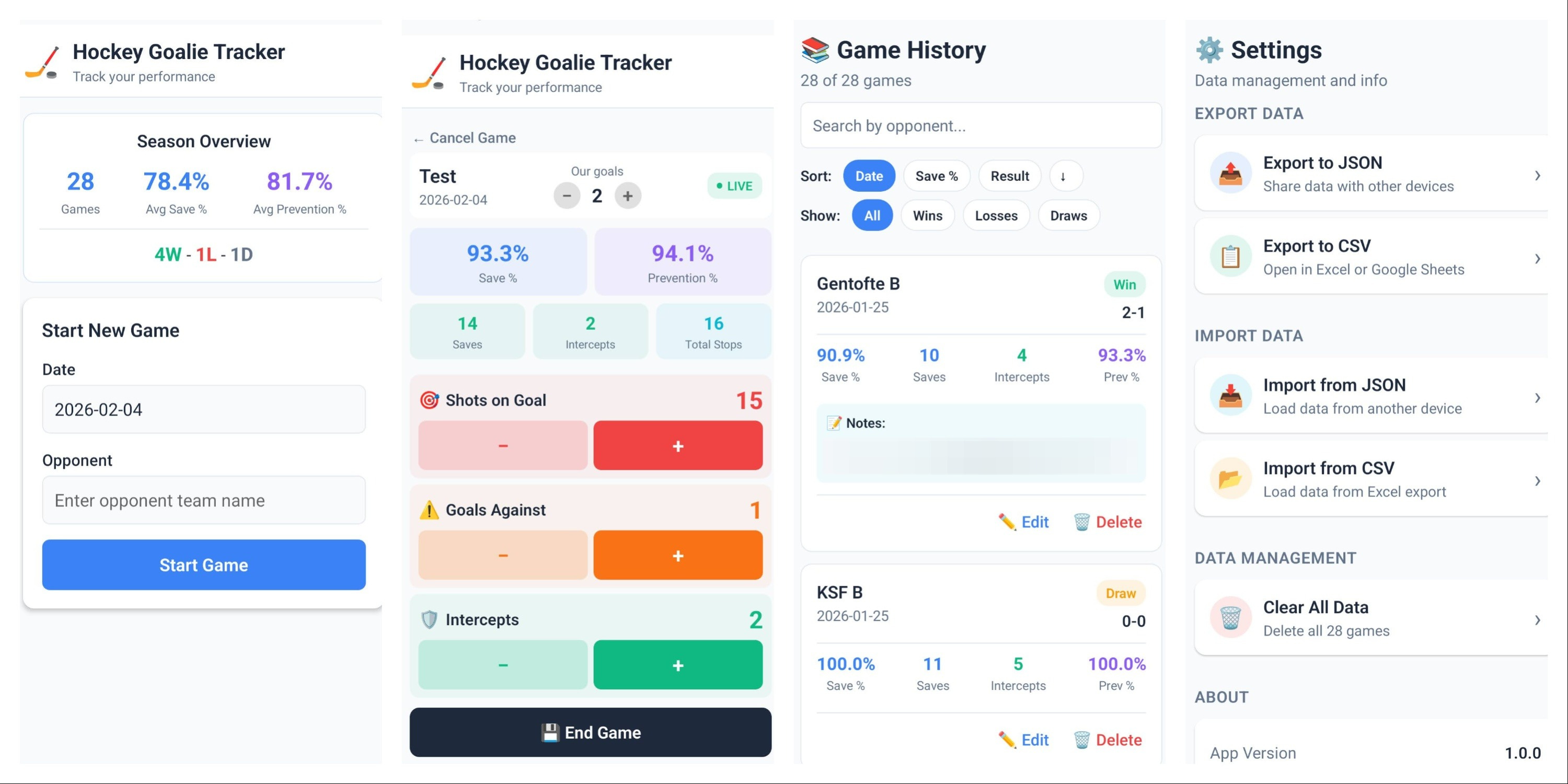
I now have a clean, robust app that lets me track and save the games, view stats, and export game history. It just works:
Here’s the kicker: Remember how I said I wasn’t an artist?
I’m even less of a coder. I couldn’t tell you what an “npm” is or how to brew a Java.
But Claude Code made this a non-issue.
The entire process was me rambling about what I wanted while Claude Opus nodded4 and just…built the thing.
We’ve sure come a long way from the not-quite-there-yet days of 2023:5

2. Turned two of my custom GPTs into Claude Skills
I made well over a dozen custom GPTs over the years.
Most of them are nothing more than custom instructions to avoid providing the same context to ChatGPT. They help, but there’s still lots of busywork involved.
So I started migrating them into Claude Skills, and two are already in use.
The first one is the “Sunday Rundown Drafter” that finds and deduplicates AI-related news from several aggregators, looks for official sources, categorizes them into relevant Sunday Rundown sections, filters out the stuff I don’t cover, and gives me a handy summary:
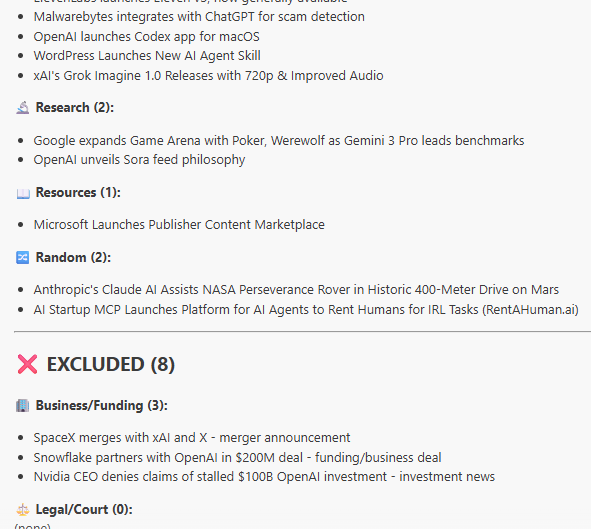
I can now dive straight into reviewing the stories and writing the post.
The other one is the “Sunday Bonus Directory Updater”6—and it’s just awesome.
As you may know, I recently gathered all my Sunday Bonuses into a filterable directory. But I publish new entries all the time, so I now have to keep it updated.
Here’s how my old process looked:
Paste the link to the new Sunday Bonus into my custom GPT
Get a proposed summary text and tags for approval
Approve the text (or ask for revisions)
Get a formatted line to paste into the HTML page
Download the latest deploy.zip from Netlify
Extract the HTML page
Update the page manually with the new line
Add the page back to the zip file
Upload the zip back into Netlify
Wonder why I’m still doing so much shit manually in the age of AI
Here’s how it looks now:
Paste the link to the new Sunday Bonus into Claude Code
Get a proposed summary text and tags for approval
Approve the text (or ask for revisions)
THE END
Claude Code updates the local HTML file on its own and deploys to Netlify in seconds:
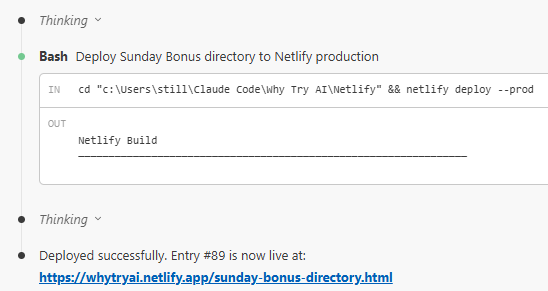
Lots of wasteful copy-paste/upload-download busywork, gone! Poof!
More of my GPTs are about to get the same treatment, and I honestly can’t wait.
3. Organized my client work
When I’m not out there fighting crime, I freelance as a SEO content specialist/copy editor/copywriter/other-content-adjacent-stuff-person.
Not so long ago, I had a content workshop with one of my clients to kick off a project.
I then created a client subfolder for Claude Code and populated it with my workshop notes, anonymized email correspondence, prior posts I’d written for the client, and some of my unstructured thoughts.
Claude Code chewed through it all, asked a bunch of insightful questions, extracted key details, and created a content tracking sheet I could use to organize my work.
It really helped pull several separate strands together and make order out of semi-chaos, so I could get right down to the writing part.7
4. Created a GitHub repository for backup
A wise man named Peter once suggested I set up a GitHub repo for my Claude Code work. At that point, I was only vaguely aware of GitHub, unlike some of the other Hubs you might hear about these days.
So I asked Claude Code what a Git was and how one could Hub it.
After a solid learning bootcamp, I had my repo up and running:
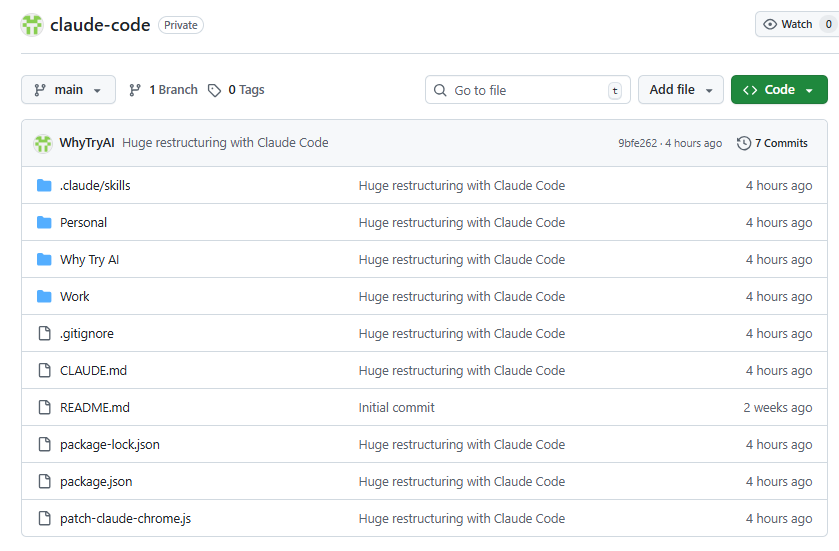
Claude Code also…
Explained new GitHub-related concepts as they came up
Created a .gitignore to stop me from auto-uploading giant files to my repo
Helped troubleshoot syncing issues between VS Code and GitHub
…and probably lots of other stuff I’d already forgotten about
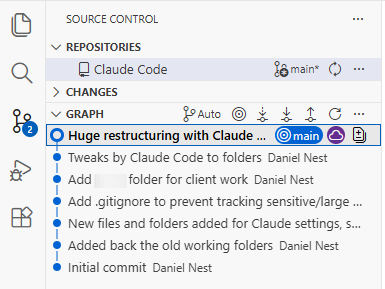
I now get to feel like a true power user with my nifty VS Code + GitHub combo:
5. Improved the Claude Code setup itself
Lately, I’ve gotten into this nice meta loop where I regularly ask Claude Code to review our working folders, projects, and context files, discuss them with me, and recommend better ways to organize my work.
As a result of this exercise, Claude Code has already:
Recommended and set up a clean subfolder structure for different work areas
Proposed and—where necessary—installed relevant skills and MCPs
Recommended new tasks and initiatives related to my ongoing projects
Created separate context files for each subfolder and a way to keep those up to date
I get a kick out of knowing that I can not only chat with a helpful reasoning model but also say “go” and watch it actually do things.
Case in point: Setting up that time-saving Netlify loop for my Sunday Bonus Directory Updater was Claude’s suggestion…and Claude also helped make it happen:
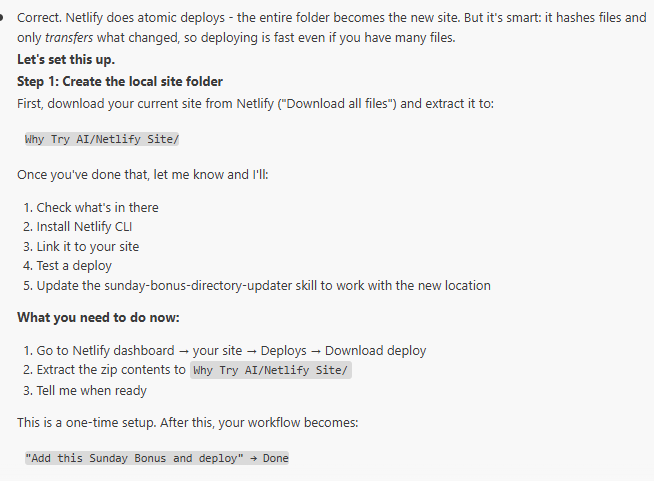
It’s not quite recursive self-improvement, but it’s quite a feat nonetheless.
What I’ll be working on next
The cool thing is that once you see Claude Code in action and get a sense for how robust it actually is, you start getting all sorts of ideas for what to try.
In my case, I’ll be looking into:
LLM chat insights: I’ve extracted my chat history with every chatbot and it now sits inside the Claude Code folder, ready for analysis. I’m sure Claude Code can extract some patterns if I ask it to.
Substack analysis: Substack lets you one-click export the entire post history and email performance, and I’m curious to have Claude Code dig into this.
Organize notes: I love making and crossing out daily to-do lists, but my forward-looking plans and ideas live in fragmented Google Keep notes and abandoned Trello boards. Can Claude Code bring order to madness and perhaps even build me a personalized note-tracking-plan-making app-thing? Computer says maybe?
I also just connected Claude Code CLI to the Claude in Chrome extension, so I can ask it to browse as a person would, scrolling, clicking buttons, filling in forms, and so on.
This means I now have a tag team of Claude Codes in the same VS Code window:
Regular Claude Code for all the heavy lifting and local file work
Claude Code CLI with Chrome access that can do the visual browsing
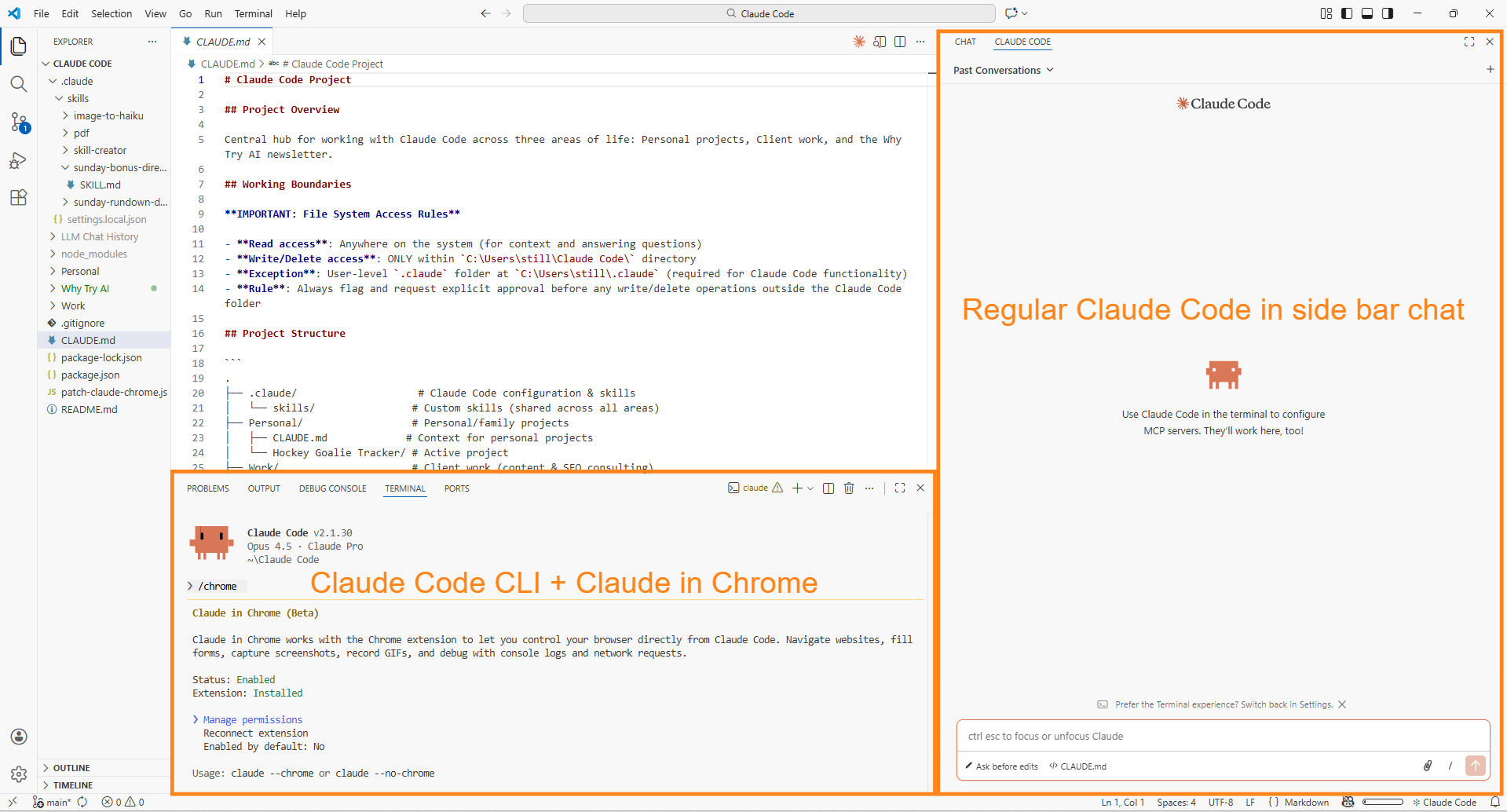
This opens up all sorts of cool possibilities, like working on an app or site with “Standard Claude” and having “Chrome Claude” visit it to provide UX feedback.
The world’s my oyster. (Or, you know, some food I actually like, I guess.)
5 tips to get more out of Claude Code
Now that I have a routine going, let me play the guru and share several nuggets of Claude Code wisdom for you to consider.
I’ll also hand you a foolproof one-prompt method to kick things off with Claude Code, even if you’re starting completely from scratch.