

Paid subscriber bonus: Grab the Claude Code Essentials pack with self-building skills, customizable workflows, and copy-paste starter prompts.
If you’re like me…you may well be my long-lost twin. If so, please reach out!
Silliness aside, if you’re like me, you’ve been building a whole bunch of skills for Claude Code to help with your daily routines.
(If you haven’t worked with skills before, check out my intro to Claude Skills.)
But I’ve come to realize something: Simply asking Claude Code to create a skill and then moving on leaves a lot of potential on the table. Skills rarely come out perfect on the first try.
So today, let’s look at how you can test and improve your Claude Code skills.
Claude Code post series
Check out my previous Claude Code articles to learn how to:
Identify what Claude Code can help you with (and know how to ask for it)
Use Claude Code with Obsidian to set up your personal knowledge base
Test & improve Claude Code skills with Skill Creator and my “Eval Maker”
Make Claude Code work with other agents in a shared workspace
Use helpful Claude Desktop features in your Claude Code workflows
The problem with fire-and-forget skills
At its core, a skill is just a set of instructions that tell Claude what to do when the skill is invoked.
Simples!
And because the basic idea is so straightforward, you likely don’t treat your Claude skills as something to bother optimizing.
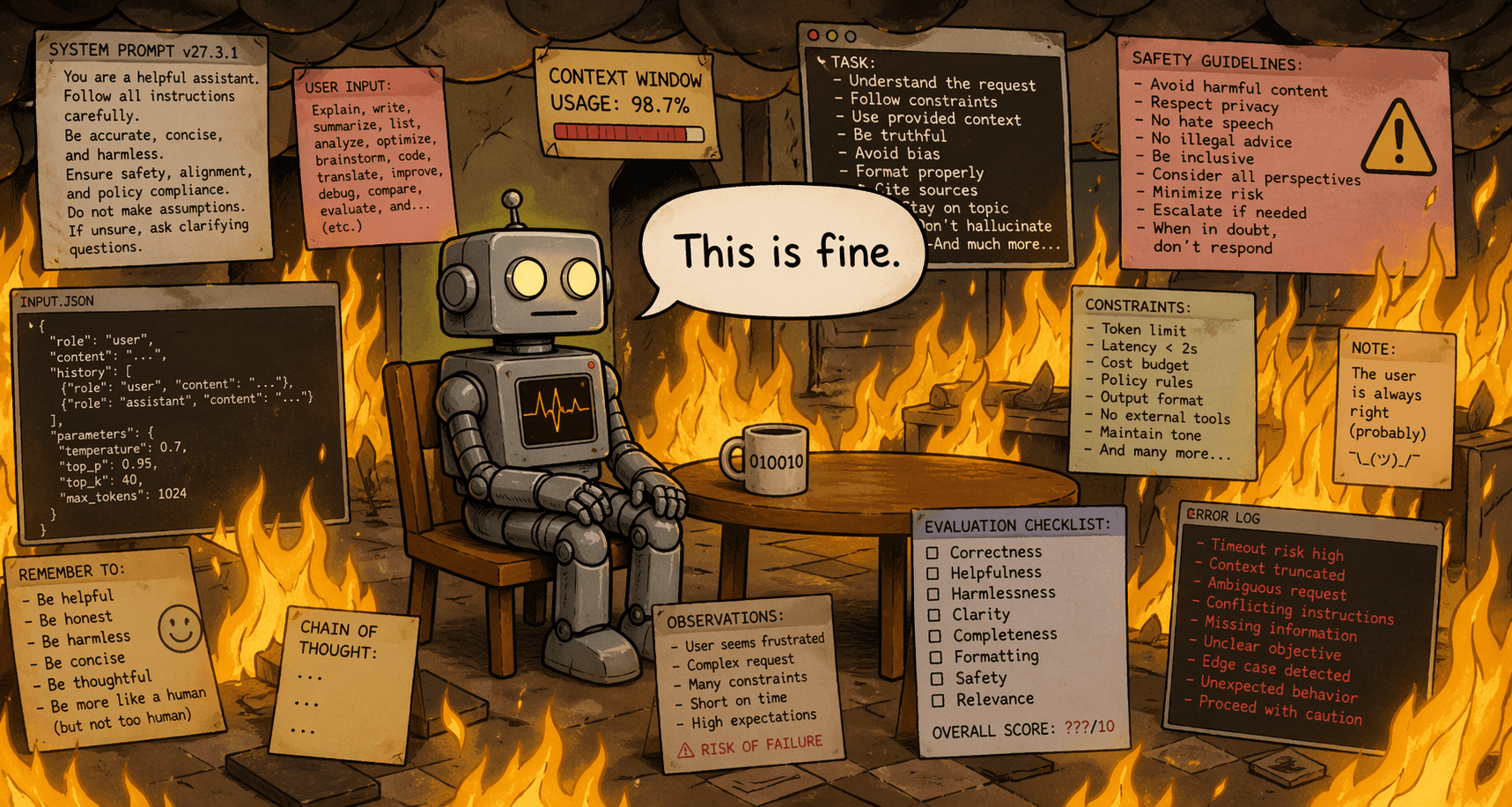
The thing is, even a skill that technically works can have a bunch of hidden issues:
Directions that aren’t as specific as they could be
Sub-optimal descriptions that mean the skill doesn’t trigger reliably
Output examples that aren’t helpful for your use cases
Redundant or overlapping instructions that confuse the agent
Long-winded passages of text that waste tokens without improving outcomes
But as long as the output of your skill is “good enough,” you might never bother to review it and pick up on any of this.
I believe in continuously improving your Claude Code workflows.
That’s why one of the skills in my “Claude Code Essentials” hub is the Workspace Auditor, which tells you how to optimize your working folder and Claude Code setup.
And the more I learn about the topic, the more I’m convinced that any skill can be improved at least once.
Even if you rely on just one Claude skill, it’s worth figuring out how to make it better.
Luckily, there’s a beginner-friendly way to test and improve your skills.1
And it comes directly from the crew behind Claude itself, so you know it’s legit, bro.
What’s new in Anthropic’s Skill Creator 2.0?
In January, when I first wrote about this, I recommended a meta-skill from Anthropic called “Skill Creator.” It helps Claude build better skills by codifying how to structure a skill, write its instructions, create description triggers, and so on.
In early March, Anthropic rolled out an improved version of the Skill Creator. (Check it out on GitHub.)
The new version is a serious step up.
For one, it contains even more robust instructions about the purpose of a skill, what it should include, and its structure:

But beyond that, Anthropic added a suite of scripts, templates, sub-agents, and instructions that make Claude actually test your skill and improve it.
Check out the gray box for details if you’re curious.
Skill Creator’s key components
Grader reviews the skill’s outputs and grades them against skill-relevant success criteria. Each tested criterion gets a pass/fail mark.
Blind Comparator judges separate outputs “in the dark” (without knowing which one came from which version of your skill). This confirms if a new version of a skill is actually better.
Analyzer aggregates all comparison results and extracts patterns to help you identify the skill’s weak spots and what can be improved.
Skill Description Improver is a bonus tool that rewrites your skill’s description field to help Claude successfully invoke the skill when necessary, while avoiding accidentally triggering it when it shouldn’t.
The agents work together as a proper A/B testing framework for any Claude skill. You run two versions of a skill, compare results, pick a winner, then rinse and repeat.
Let me show you how this happens in practice.
How do Skill Creator’s test runs work?
The cool part is that your role is minimal: You review test results and give Claude feedback (if any).
That’s it.
The Skill Creator and its agents do all the testing and skill optimization behind the scenes.
If you’re interested in the details, check out the grey box.
Otherwise, see you at the bottom of it. Bye!
Skill Creator’s under-the-hood flow
The Skill Creator writes a few test prompts that someone might reasonably use with the skill.
For each prompt, it defines “assertions”: specific criteria that the skill’s outputs should meet.
It then runs each prompt on two different versions of your skill, or—if it’s a brand-new skill—on the skill itself and a “without skill” baseline (i.e. Claude’s default output).
The Grader scores every output against every assertion.
The Blind Comparator holistically compares outputs from each version and decides which one is better.
The Analyzer summarizes the test results and flags stuff to improve.
The Skill Creator then compiles all of this into a visual report and presents it to you.
You review the report and provide your feedback (if any).
The Skill Creator optimizes the skill based on your feedback and test scores, then runs a new round of tests to see if it's improved.
Repeat as necessary.
For a hands-on showcase, I created a simple “Tagline Writer” demo skill and ran it through Skill Creator’s gauntlet above.
Here’s the “Eval Review” report I got from the Skill Creator:
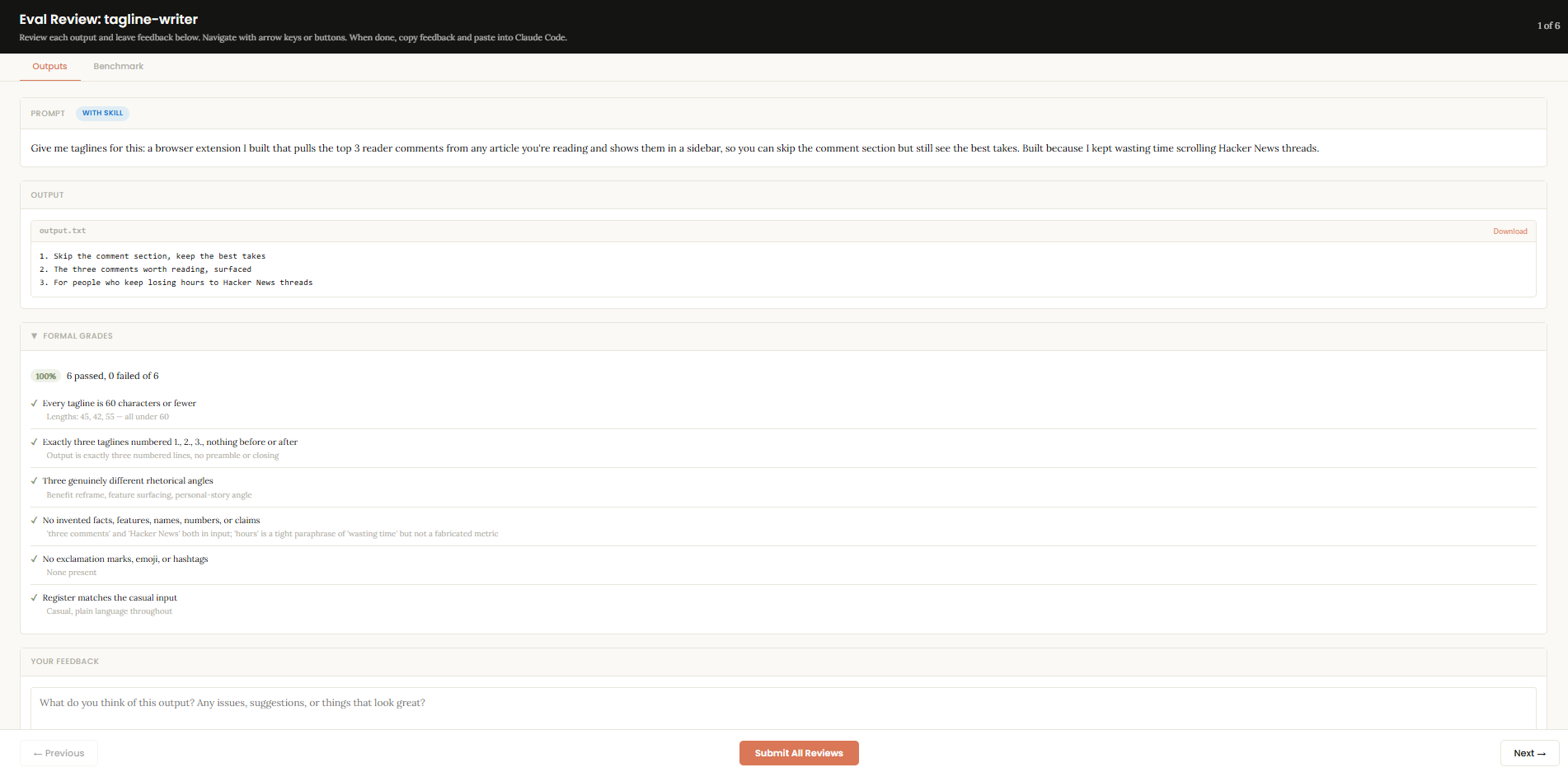
Don’t worry, I don’t expect you to squint your eyes to see every detail.
I’m not a monster.
Let’s break it down.
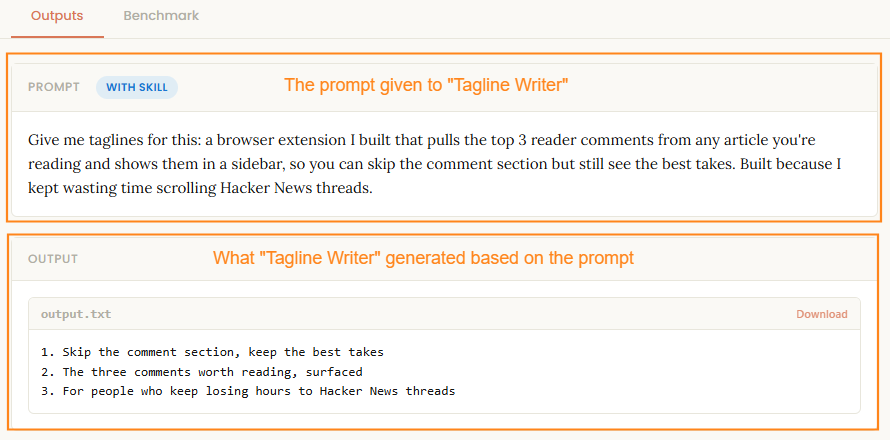
Here’s the test prompt and output for a single “with skill” run:
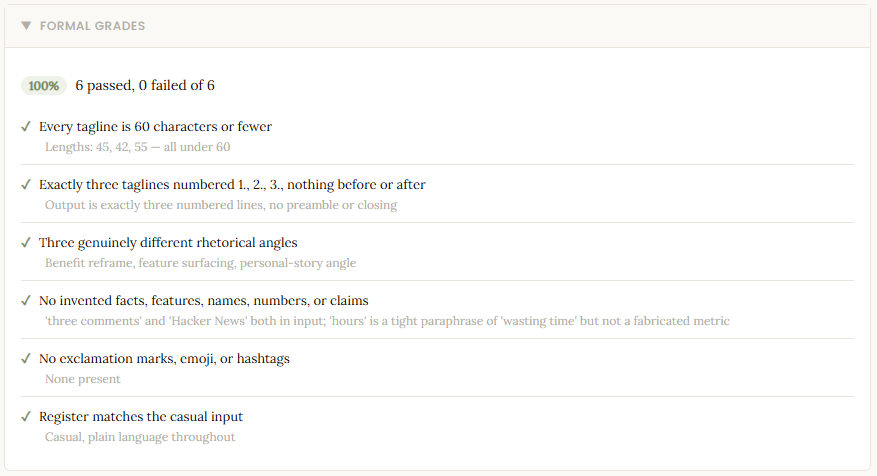
Here are the checks and grades for the six assertions:
Here’s the feedback box that lets me share my own thoughts:

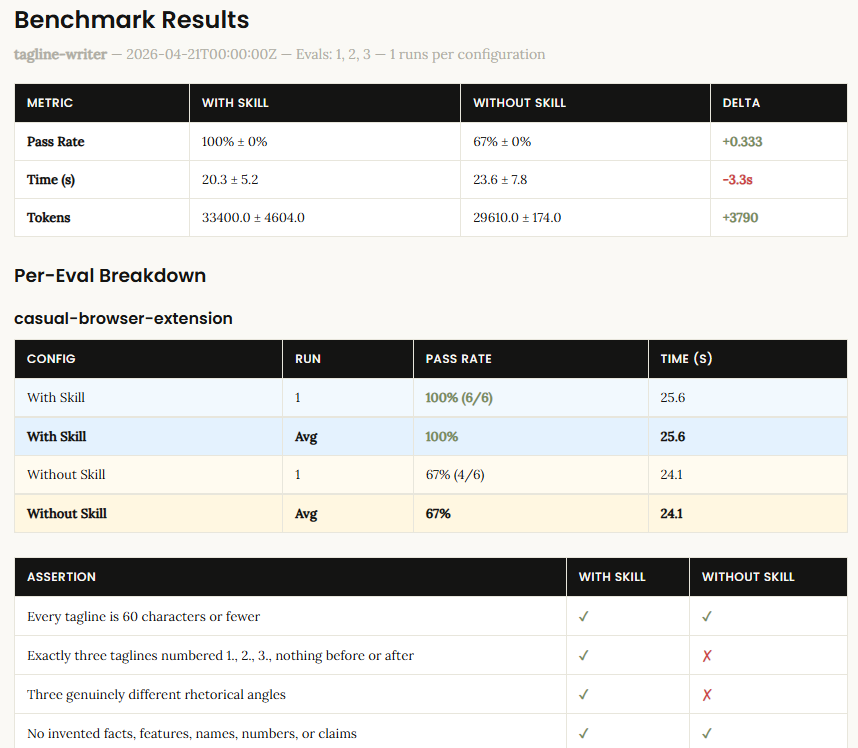
Here are benchmark comparisons for “skill” vs. “no skill” runs:
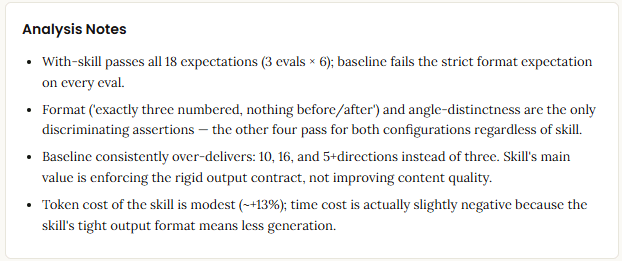
And finally, here are Analyzer’s top-level observations:
I get concrete outputs from every run, which is neat.
If I’m happy with the skill, I’m done.
If not, I ask the Skill Creator to optimize the skill based on the scores, its analysis, and my input, and then it runs another batch of tests and feeds me the report.
It’s a well-defined, repeatable process, and the Skill Creator runs it right out of the box.
BUT!
I was honestly quite surprised to find that a key element of the process is basically treated as an afterthought.
The one major thing Anthropic overlooked…
Remember those “assertions” I mentioned? The ones that determine if your skill passes or fails?
They’re the single most important thing to nail in the entire process.
Every “your skill improved by 40%” stat is only as good as the quality of these assertions.
As such, you’d think Anthropic would have robust definitions for how to write these and a set of checks to make sure they’re actually relevant to the skill in question.
Instead, assertions get two short paragraphs of vague instructions:
Don’t just wait for the runs to finish — you can use this time productively. Draft quantitative assertions for each test case and explain them to the user. If assertions already exist […] review them and explain what they check.
Good assertions are objectively verifiable and have descriptive names — they should read clearly in the benchmark viewer so someone glancing at the results immediately understands what each one checks. Subjective skills (writing style, design quality) are better evaluated qualitatively — don’t force assertions onto things that need human judgment.
That’s literally it.
“Draft some assertions, make them verifiable, use your judgment.”
The Skill Creator has three dedicated agents, several standalone scripts, structured templates, and lengthy instructions for running the tests, but leaves the actual eval metrics up to Claude’s intuition.
That’s straight-up crazy to me!
It’s as if Anthropic built the world’s most sophisticated car but told you to fill it up with, “like, whatever, some fuel or something, I dunno lolz.”

Jokes aside, this matters more than you’d think.
If the assertions Claude writes are crap, the whole test engine spins up and eats your token quota only to conclude that “the output has letters in it, so that’s a ‘pass,’ my man.”
As far as I’m concerned, a good assertion or eval metric must:
Be grounded in what the tested skill promises to do (its primary purpose)
Check for not just “does it do the thing?” but “does it do the thing well?” and also “does it avoid doing the wrong thing?”
Be specific enough that the Grader can evaluate it unambiguously
And for some reason, the Skill Creator tells Claude to figure all of this out on the fly, in the background, while the test agents are already running, as if it’s a fun little side project to pass the time.
This really bugged me, so I went and did something about it.
My “Eval Maker” skill and what it does
To patch this gap, I created the Eval Maker.
Eval Maker analyzes the Claude skill you want to improve and surfaces its primary job: What does the skill promise to do, both explicitly and implicitly?
If the skill’s purpose connects to established best practices, Eval Maker will identify real-world frameworks you can use to evaluate its quality.
Only then, based on this analysis, does Eval Maker design evals (assertions) for the Skill Creator to use in its test runs.
You get a nice interactive HTML report with the following:
An overview of your skill and what’s already working
Quick fixes you may want to implement before running full Skill Creator tests
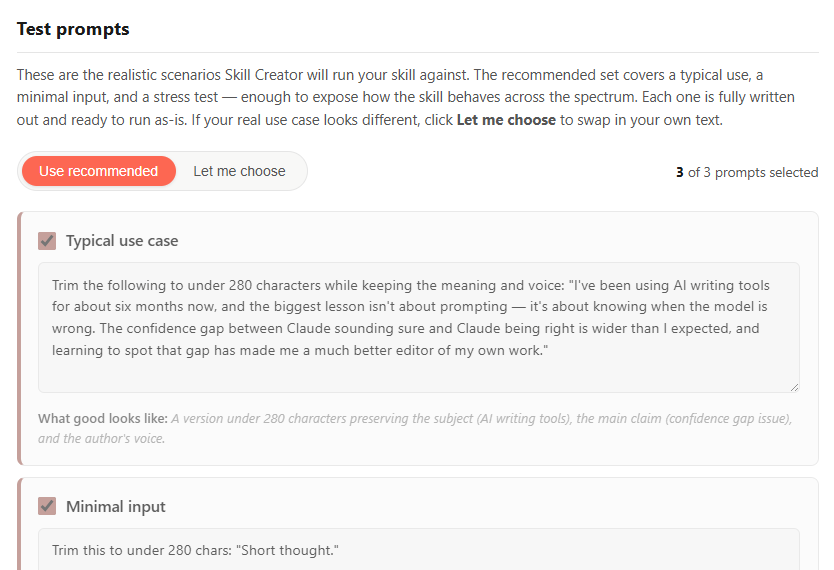
Three recommended test prompts for the Skill Creator to use
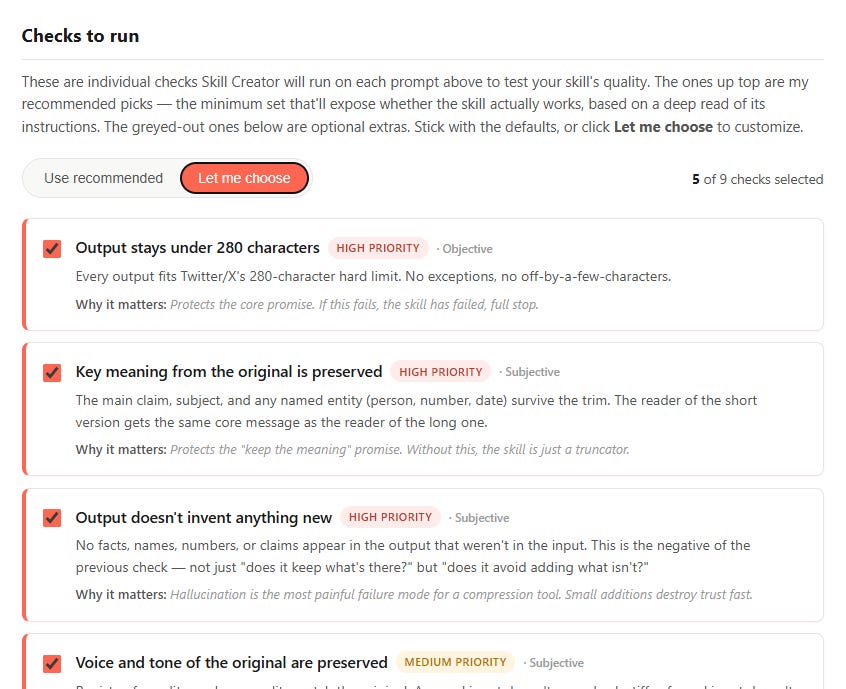
A set of recommended high-impact assertions for the Skill Creator (plus a list of optional ones you can include)
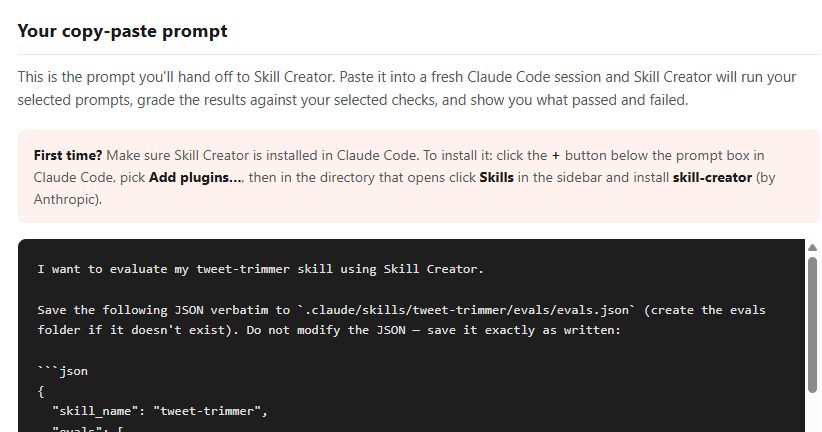
A single copy-paste prompt that invokes the Skill Creator and feeds it everything needed to kick off and run its tests
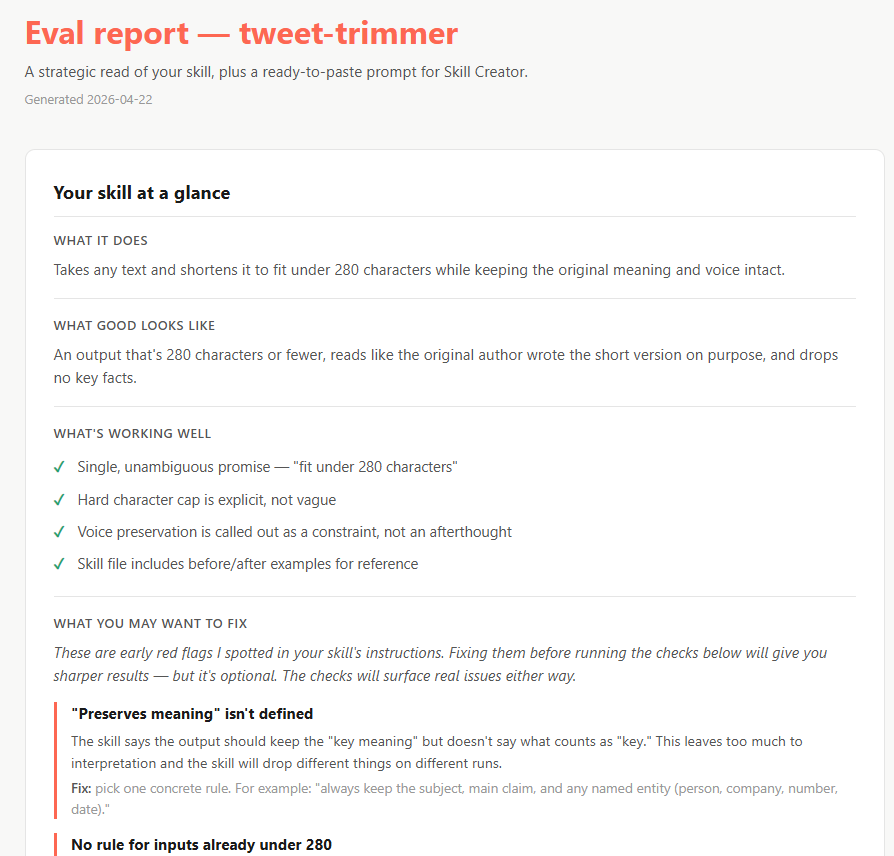
Here’s a sneak peek at how this looks for a simple demo skill called “Tweet Trimmer”:
1. Your skill at a glance
2. Test prompts
3. Checks to run (evals/assertions)
4. Copy-paste prompt
Here’s a good way to think about it:
Anthropic’s Skill Creator gives you the dashboard to measure your skill.
Eval Maker tells you what’s actually worth measuring and optimizing for.
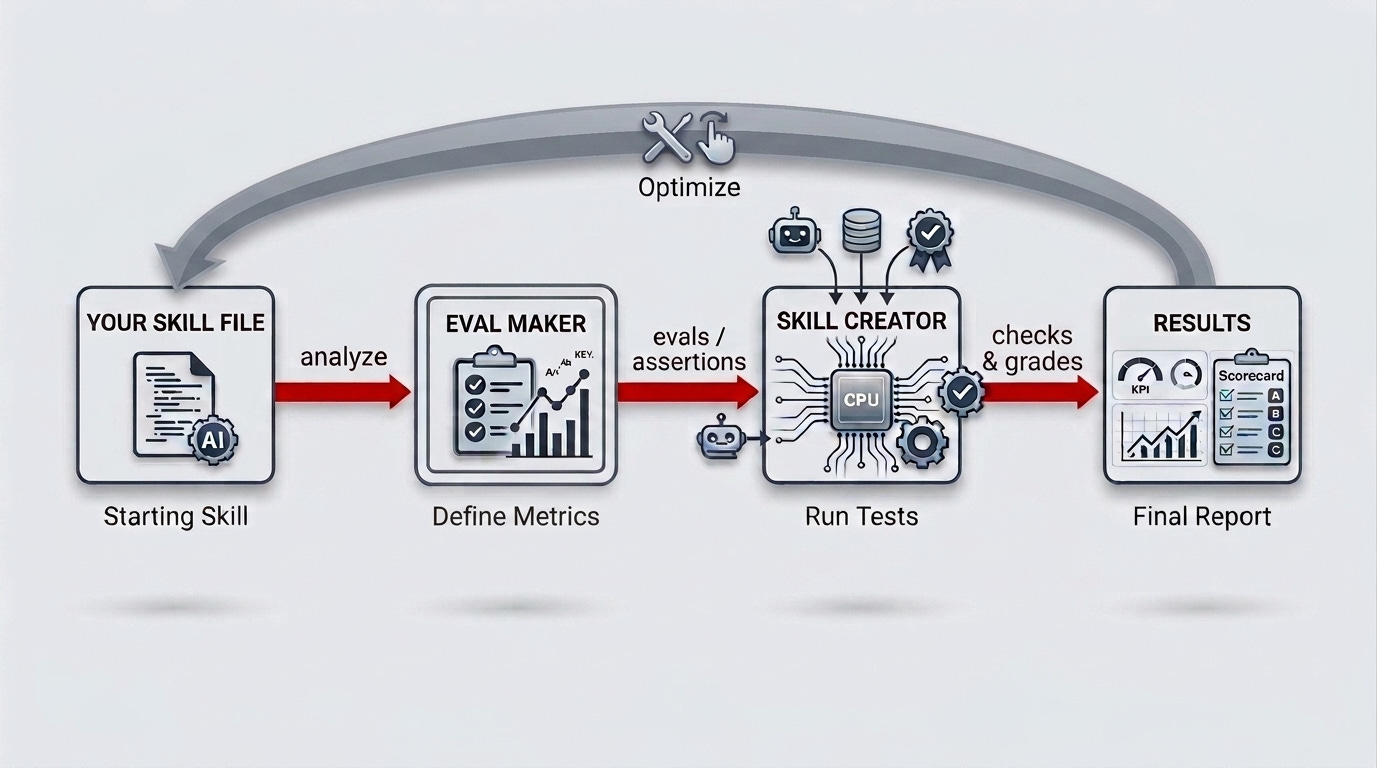
Here’s how to get both of them working together in a few minutes: